
Below you can read a complete edition of the “Good Tech” weekly newsletter, signed by Vlad Dumitrescu. Subscribe to receive future editions here:

The Fix
As in 2026 we have to have a separate account for all the apps and websites, managing to remember the passwords for each of them becomes almost mission impossible.
A few years ago, it was feasible to remember passwords: a few accounts, maybe an email, a social media account and that was enough. Human memory coped brilliantly (not mine either, I don't even remember what I ate this morning, but that's another discussion). Today, however, each online service requires a separate account: Netflix, Spotify, delivery apps, fitness, banking, news platforms, the barbershop website, etc.
The technical requirements of the platforms (capital letters, symbols, numbers, different rules for each site) make our mission even harder. But instead of writing down all your passwords somewhere, reusing them or even trying to remember them, it would be more efficient if you used a password manager.
A password manager generates unique, long, hard-to-guess passwords for each account, stores them securely, and auto-fills them when you log in. You only need to remember one master password, and you're one worry away. It is, in a way, a kind of digital assistant that helps you manage the online “red tape”. Additionally, most will warn you when a password has been compromised or is too weak.
When choosing a password manager, there isn't necessarily a universal “best” that applies to everyone, it's more about what works for you. In general, you should look first at the security and encryption provided: the application should encrypt passwords locally or in the cloud with recognized standards, so that no one can read the master password.
It also matters how easy the app is to use, the interface shouldn't be too complicated or the setup take too long. Last but not least, make sure it is compatible with which devices you use; ideally it should go on your phone, laptop/PC and tablet and autofill passwords wherever you need them.
The best free password managers
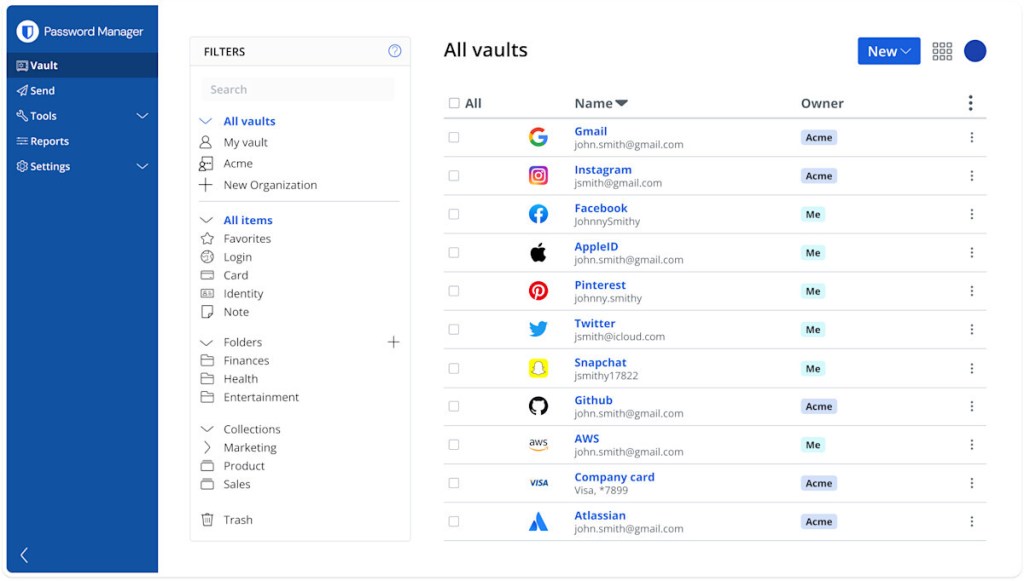
Bitwarden it's one of the most popular variants: it's open-source, which means that security experts and the community can check the code and make sure everything is fine. In the free version you get unlimited password storage, synchronization between devices, automatic generation of complex passwords, autofill in browsers and applications, and encrypted storage. It's a good choice if you want something easy to use, free and reliable.
Another good option is Proton Pass. Created by the same team behind Proton Mail (known for its focus on user privacy), Proton Pass excels when it comes to strong encryption, but also a clean, easy-to-use interface. In the free version you can store passwords and other sensitive data, synchronize passwords between devices and generate complex passwords.
If you already use other Proton services, the integration is even more natural. Proton is the best option for those concerned about password security, Proton's reputation when it comes to privacy speaks for itself.
If you want something else integrated directly into your ecosystem, Google Password Manager and iCloud Keychain (for Apple users) are free variants that come “built-in”. Google Password Manager works automatically in Chrome and Android, syncing passwords between your Google devices, filling them in when you sign in to websites and apps.
iCloud Keychain does the same for iPhone, iPad, and Mac users, syncing passwords through iCloud and filling them in instantly. Both solutions are excellent for those who want maximum comfort with zero additional setup.
Even though Google Password Manager and iCloud Keychain are convenient and integrated, Bitwarden and Proton Pass offer clear advantages for those who want more: unlimited storage of passwords and notes, organization by folders and tags, true cross-platform compatibility, complex password generation and security audits. In addition, it provides greater control over data privacy and encryption.
The best premium variants
If you're willing to invest a little for extra convenience and security, there are premium options that can bring some advanced features that make password management safer and simpler.
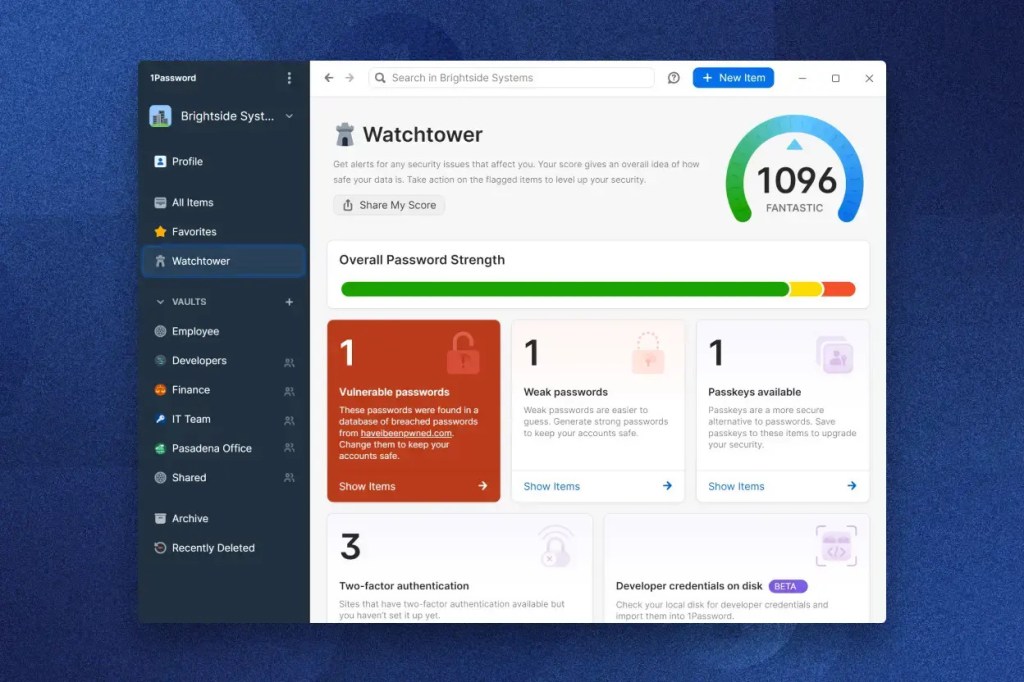
For example, 1Password remains among the most popular apps of its kind: in addition to secure password storage, complex password generation, and autofill, it also offers advanced organization through separate “vaults,” built-in two-step authentication, compromised password monitoring, and the ability to provide secure access to specific passwords for your family or team.
Dashlane Premium it goes even further with extra features like included VPN for secure browsing, real-time alert for security breaches or automatic password change on certain sites, and unlimited storage of sensitive data. It's useful if you want to secure basically your entire online presence, not just your passwords.
NordPass is another solid premium option from the team behind NordVPN. It also comes with a number of advanced features that go beyond simply storing passwords. The application offers detailed reports on security breaches, so you know if your data has been compromised, but also features such as email masking (useful when you don't want to give your real address everywhere), encrypted cloud storage, a “health report” that shows you how safe your passwords are, and emergency access for trusted people. In addition, NordPass also allows the creation and saving of passkeys, a more secure alternative to classic passwords, which is starting to be adopted more and more often by large platforms.

The Bigger Picture
We need these password managers because every online service requires an account, every app wants your data, and every platform adds new levels of security and verification. Netflix, Spotify, banking, food delivery apps, fitness apps, hair salons, etc.: they all come with separate accounts and unique passwords.
But why did I end up here? The explanation lies in the economic and social models of the contemporary Internet. Online platforms compete for users' attention and data. The account is a way to personalize the user experience, but more importantly, it's the best way to gather information about our behaviors and monetize that data. It is the currency of the Internet. In theory, it exists to make our lives easier: not to lose the history, to receive relevant recommendations, to make it easier to pay, etc.
In practice, the account is the infrastructure through which platforms can link all these actions together and turn them into valuable data. Every click, search, pause, skip or purchase is attached to an identity.
This data is then used in a number of ways. First, for targeted advertising: the more a platform knows about you (how old you are, where you live, what you're interested in, what you react to) the more accurate the ads can be and the more expensive they can be for advertisers.
Algorithms piece together almost everything you leave behind online: what you search for, what sites you visit, what content you consume, what you like or ignore, where you usually are, and how other users who look like you behave. This mix results in a highly accurate digital profile, capable of predicting with a high success rate which products, services or messages would be most likely to attract your attention. All of this would be harder to manage without an active account of yours.
Second, data collected through accounts is used to optimize products and increase time spent in the app. Recommendation algorithms on Netflix, YouTube or Spotify work because they can analyze your long-term behavior: what you consume, when you abandon, what you come back to see. The longer you stay, the more your value as a user increases, either through ads or subscription retention. The account is the binder that makes this tracking coherent over time.
Accounts are also essential for expanding digital ecosystems. Once you have a Google, Apple or Meta account, it becomes much easier for these companies to move you between services, synchronize your data and create a “frictionless” experience for you. For the user it's convenient, for the platforms it's profitable: the deeper you are integrated into an ecosystem, the harder it is to give it up.

One last thing
Soon, we'll be able to see Instagram Reels on TVs, too. Isn't it wonderful when technology produces innovation and contributes to the progress of society?
on wednesday
Vlade