publication
2025-10-04 17:50
After changing the login page, some mBank users complain about difficulties with access to the service via the Firefox browser. A similar mistake also appeared in our editorial office – sporadically and not for everyone. mBank ensures that it monitors the situation and treats reports priority.
After the last change of login window to mBank's online banking, a message from the reader who uses Firefox came to the editor. He described the problem as follows:
MBank recently changed the login page and there are big problems logging in with Firefox. (…) I called mBank and registered the application, but it looks like mBank does not boast of this problem that began to occur after changing the login window.
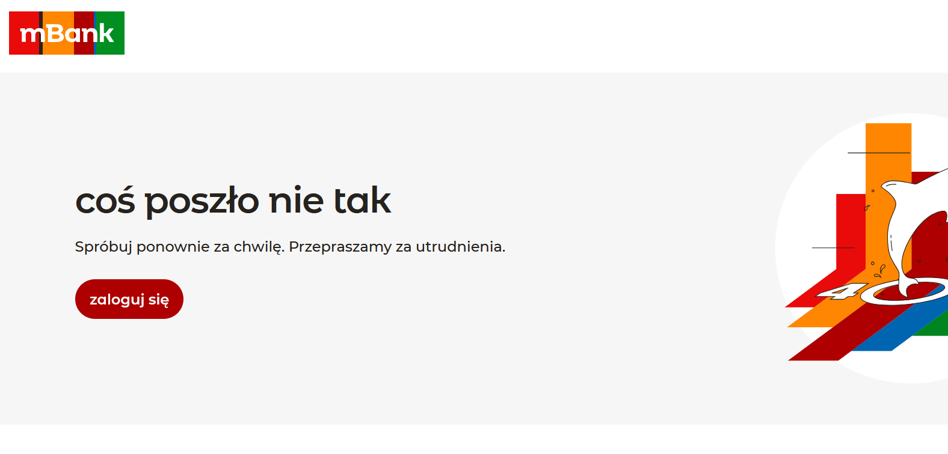
The reader also sent a screenshot with the message “Something went wrong.” In the Bankier.pl editorial office we recreated a similar mistake – he appeared from time to time, in some of the testers. At the same time, other employees logging in to Firefox went correctly. We have not found problems with access by other popular browsers.
We asked mBank for a comment. Here is the full answer we received:
“We monitor the operation of our transaction service and analyze applications regarding the difficulties in logging in using the indicated browser on an ongoing basis. At the moment we receive information about unit cases. We approach them with full commitment. If customers encounter similar difficulties, please contact Mlinia – we will be able to check the specific case in detail and provide individual support. We apologize for any inconvenience. We treat each application priority. The safety and comfort of using our services are the most important for us. “
What can you do on the user's side? If the problem occurs, it's worth:
- refresh the page and try to log in again after a short break,
- clean the cache and cookies for mBank domains or use private mode,
- Check that Firefox is in the latest version and does not block the elements of the page (plugins, privacy extensions),
- If necessary, use the mobile application or other browser temporarily,
- Report an incident to mlining, giving the exact time, system, browser version and screenshot with an error message.