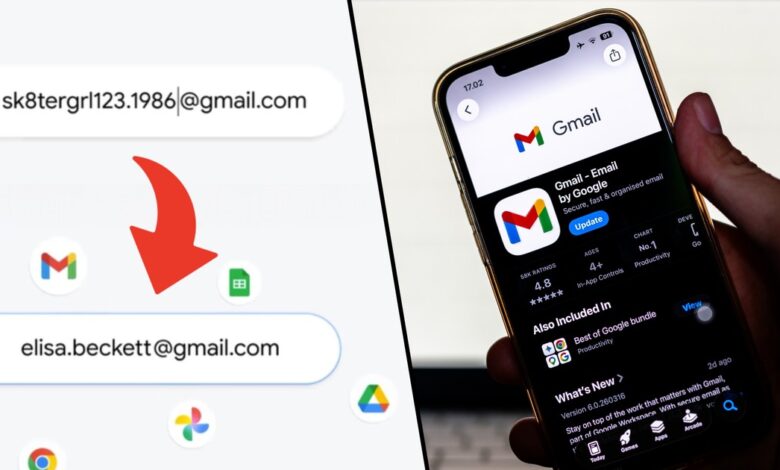
An e-mail address chosen years ago does not always age “well”. What seemed like the right choice when you were a teenager or a teenager – may not be entirely appropriate when we grow up. And when sending a CV or applying for a loan, providing an address that reads “[email protected]” can be rather embarrassing. However, due to the fact that we have a number of services and tools connected to our first e-mail box – many people feel “forced” to continue using the unfortunate name.
The rest of the text is below the video:
Although in theory you can create a new address and transfer all logins to it, this is a very time-consuming process and means the loss of previous messages. Gmail, which has been the default mailbox for many for over 20 years, is finally meeting such situations – and, as previously announced, it allows you to change your e-mail address.
Everything that was associated with the old address remains in force, the full account history is saved, messages will still come, but the name visible on the outside will be different. Instead of the above-mentioned “[email protected]”, we can finally sign it more appropriately – and easily change the mailbox to, for example, [email protected]. The old address will then be reclassified to the so-called alias, which, even if it is not visible, can still be used to log in.
The only condition for introducing a change is a free name. If someone is already using this string before the @gmail.com part, we'll have to look for something else. Changes can be made once a yeara maximum of three times in each account's history.
The long-awaited change was announced simultaneously on both the official Google blog and by Sundar Pichai on his social media profiles. Google's CEO wrote there: “2004 was a good year, but you don't have to include your Gmail address in it. To say goodbye to [email protected] or [email protected] (or whatever name you were using back then), go to your Google account settings and select any available name.“
The change is first made available to users in the US, as usual in the case of new products from Google, but current practice shows that the functionality will be available in other regions, including Poland, within a few months. Once this happens, anyone with a Gmail account will be able to use it.
How to change the name of an email address on Gmail?
The whole process is very simple and only requires a few clicks. Below are the instructions:
- Once Gmail is open, go to Account management and Personal data
- Click on the field E-mail and then on Your Google account email address
- Select an option Change your Google account email address – if you don't see this option, it means the change hasn't been made available to your account yet
- If our account is already in the qualified pool, we can do so on the next screen enter the new address ending @gmail.com. We accept the change and can enjoy the changed name.
For your convenience, we also present a graphic version prepared on the basis of the English version of the application. Polish equivalents of the names are visible in the text version of the instructions above.
Changing your name in Gmail – instructions
The entire process will be available once it is made available to all Polish users can of course also be performed from the desktop application. If you do not want to click through all the options yourself, you can also use this link, which will take you straight to the settings of the Gmail account to which you are currently logged in.