KSeF 2.0 login. A step-by-step guide for JDGs and companies

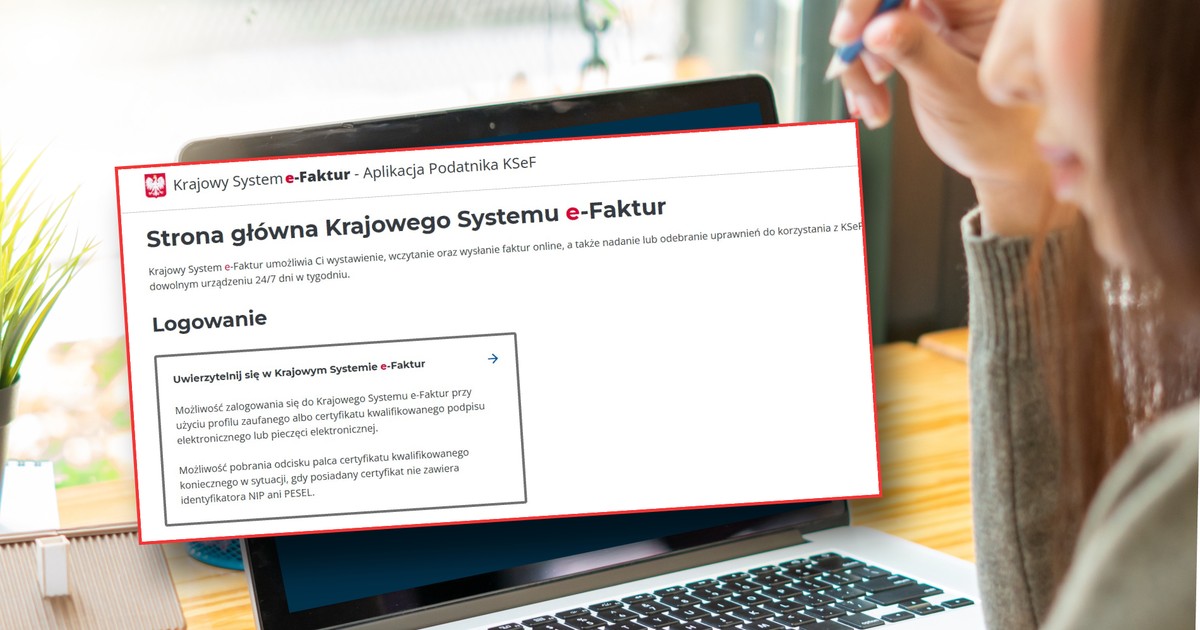
The National e-Invoice System was launched on February 1 at midnight. The Ministry of Finance has also launched the KSeF Taxpayer Application. This is where there is currently a module for granting authorizations to KSeF (previously they could be granted in the Certificates and Authorizations Module).
In practice, granting permissions in the Taxpayer Application may cause some difficulties because there are several types of permissions to choose from.
Companies, however, should authenticate themselves to KSeF as soon as possible, i.e. either submit a ZAW-FA application to the tax office and indicate the person who will be the administrator of KSeF (e.g. a partner or member of the management board) or purchase an electronic seal. Only then will the company's KSeF administrator be able to log in to KSeF.
We explain how to log in to KSeF from February 1, 2026 and what companies must do.
Read also in BUSINESS INSIDER
You run a business (JDG) – this is how you log in to KSeF 2.0
If you run a sole proprietorship, then just log in to KSeF using free tools provided by the Ministry of Finance:
— KSeF Taxpayer Application (we will focus on it in the article), at: https://ksef.podatki.gov.pl/;
— KSeF mobile application (from February 1, 2026 The Ministry has released a new version of it, it can be downloaded from the Google Play store on Android or the App Store);
— e-micro company.
You can log in to them using one of three tools:
— trusted profile;
— e-signature;
— electronic seal.
After logging in, you automatically have the so-called ownership rights. You can then obtain a KSeF certificate (it is mostly necessary if you want to use commercial KSeF programs) and grant authorizations (e.g. to send and receive invoices), e.g. to your employees or accounting office.
Attention, company owners, after logging in for the first time, should check whether they have permissions, among others: to issue and receive (view) invoices. As previously reported by the Ministry of Finance, if the KSeF administrator submits the ZAW-FA application from February 1 and then receives authorization, he or she will immediately receive a set of authorizations (to issue and receive invoices). However, the first users of KSeF 2.0 inform that they need to grant themselves permissions to KSeF to issue and view invoices.
How to log in to KSeF 2.0 – we explain step by step
Step 1 — go to the KSeF 2.0 website at kontakt.gov.pl (https://ksef.podatki.gov.pl/);
Step 2 — click “Log in to KSeF”;
Step 3 — select Authenticate in the National e-Invoice System;
Step 4 – select the login method (trusted profile or qualified certificate – e-signature or seal);
Log in – National e-Invoice System
Step 5 – enter your Tax Identification Number;
Step 6 — In the “Check documents before signing” window, click “Sign”;
Step 7 — select one of the document signing methods (e.g. with a trusted profile);
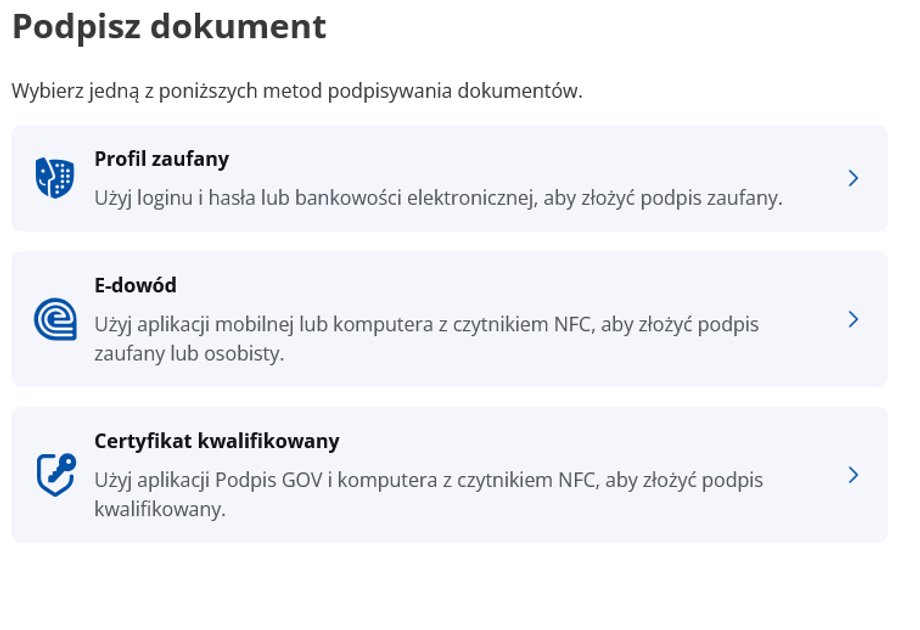
KSeF signature method
Step 8 — log in using the selected method (e.g. Trusted profile and electronic banking).
After logging in, the following page will be displayed:
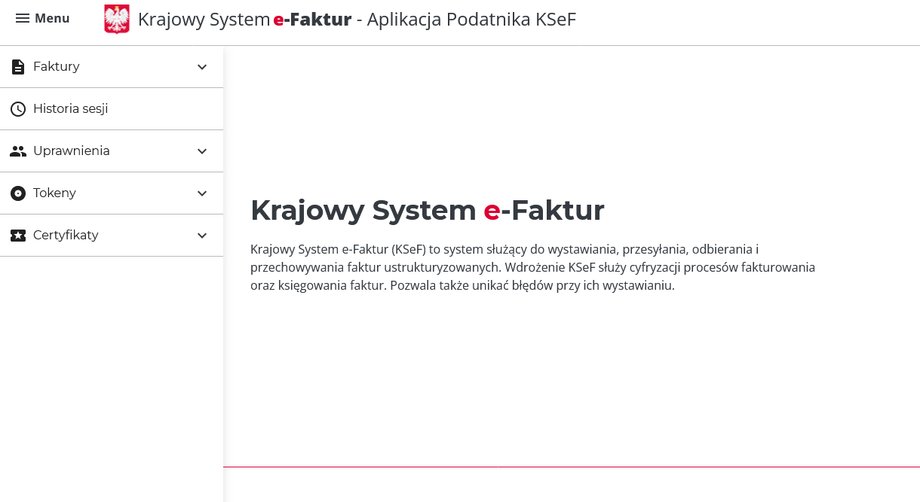
National e-Invoice System – this is what it looks like after logging in to the KSeF 2.0 Taxpayer Application
Then you can grant permissions and apply, for example, for a certificate to KSeF.
Attention! If you use commercial software compatible with KSeF 2.0, you will not have to log in to the KSeF 2.0 Taxpayer Application every time to issue and receive invoices. You will do this in your program that you have access to. However, you must upload the KSeF certificate and obtain it first (via the KSeF Taxpayer Application 2.0 or your invoicing program, if it provides such an option).
The Ministry of Finance informs that the functionalities of managing authorizations and applying for a certificate are available in the KSeF 2.0 Taxpayer Application or in commercial programs integrated with the KSeF 2.0 API. (i.e. programs from external software providers).
Do you have a company? This is the login procedure to KSeF 2.0
Companies must complete a different procedure to log in to KSeF 2.0.
They must first indicate the person who will be authorized to manage KSeF (the so-called KSeF administrator). It is best if it is a member of the management board or a partner of the company. This is the first person who will be responsible for KSeF and who will be able to grant further powers. Alternatively, the company can purchase an electronic seal. Although, as Piotr Juszczyk says, companies can operate both under a seal and through a designated administrator.
If a company wants to appoint a person to KSeF, it must first submit the ZAW-FA form. This can be done in a traditional form, at a tax office or electronically via e-Tax Office. Therefore, the form must indicate the person (e.g. member of the management board, owner, partner of the company) who will receive ownership access (KSEF administrator). As Piotr Juszczyk explains, the office must then confirm (e.g. by e-mail) that the person in question has the authorization.
We explain how to complete the ZAW-FA in detail here: Do you have a company or foundation? Without this application, you will not get into KSeF
After receiving confirmation from the tax office (e-Tax Office), the person authorized to KSeF (administrator) must log in to the KSeF 2.0 Taxpayer Application. (as in the case of JDG) and check whether it can issue invoices.
We will repeat that if the KSeF administrator submits the ZAW-FA application from February 1 and then receives authorization, he or she should immediately have all the rights (to issue and receive invoices). However, the first users of KSeF 2.0 inform that they need to grant themselves permissions to KSeF to issue and view invoices.
If you do this, as a KSeF Administrator, you can then:
- manage system user rights, e.g. assign them to employees,
- apply for certificates,
- download issued certificates.
Companies can also use an electronic seal. Is it is a type of electronic signature for the entire company (any person using the seal can log in to the KSeF 2.0 Taxpayer Application). The company can also generate an entity certificate using an electronic seal. After generating the certificate, it must be uploaded to the commercial program supporting KSeF used by the company.
According to Janina Fornalik a better solution (although not ideal) is a seal. For several reasons. — First of all, the processing of the ZAW-FA form may now be longer. However, the stamp allows you to immediately authenticate yourself in the system, the expert points out.
What are the other advantages of the seal? We informed about it in the article: Employee expenses in KSeF. This is how it should be done. What's more, the seal provides greater opportunities, as also informed by the Ministry of Finance.
What permissions should be given to KSeF 2.0?
Taxpayers may have difficulties in granting rights to the KSeF. After expanding the list, the taxpayer has several options (as in the photo). Which permissions should I choose?
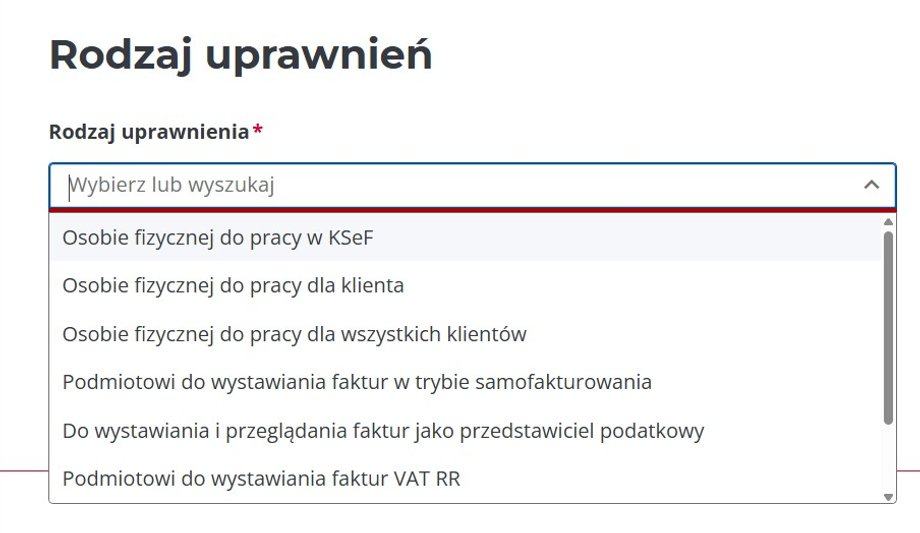
Types of entitlements to KSeF, KSeF Taxpayer Application
In the KSeF Taxpayer Application, the process of granting authorizations is multi-stage and allows for precise definition of the role and scope of activities of a given user.
Step 1
The user must first select the general category of the authorized entity:
• An individual to work at KSeF — standard entitlement for an employee or associate of a given company.
• An individual to work for the client/all clients — these options allow you to manage access of natural persons in the context of servicing multiple entities (e.g. in accounting offices).
• An entity to issue invoices in the self-invoicing mode — authorization for the buyer who, under the contract, has the right to issue e-invoices on behalf of the seller.
• To issue and view invoices as a tax representative — a special role for entities acting as tax representatives (e.g. tax advisors, legal advisors, etc.).
• Entity to issue VAT RR invoices — dedicated authorization to process invoices documenting the purchase of agricultural products from flat-rate farmers.
• A natural person to issue enforcement invoices – for court bailiffs and enforcement authorities.
Step 2
After selecting the entity type specific detailed permissions are configured (functional). Each of them can be set to “Yes” or “No”. It's about what a person can do in the app:
- Permission management – allows you to grant and revoke permissions to other users within KSeF.
- Viewing permissions – allows you to view the list of people and entities that have been granted access within a given organization.
- Issuing invoices – gives you the right to prepare invoices and send them to the National e-Invoice System.
- Access to invoices – allows you to view the list of invoices and their details.
- Session history (generating UPO): Allows you to verify document shipment statuses and download the Official Confirmation of Receipt (UPO).
- Self-billing – A special right for a buyer to issue invoices on behalf of the seller.
- Enforcement operations – the right dedicated to enforcement authorities and bailiffs to issue invoices as part of ongoing proceedings.
- Payment Confirmation – The right to mark payment status on invoices.
What else you need to know about permissions
The system requires different data depending on the type of natural person:
• People with NIP or PESEL number – standard identification through these numbers.
• Persons with a foreign qualified signature – if the signature does not contain NIP/PESEL, additional data must be provided: date of birth, type and number of the identity document and the country of its issue.
The taxpayer can also manage and withdraw rights. All granted permissions are visible on the list in the “Manage permissions” module. A person with management rights can revoke the authorization at any time by selecting it from the list and confirming the operation, which results in immediate removal of access. Each correct authorization generates a unique identifier that can be copied and saved for evidentiary purposes.
Author: Łukasz Zalewski, journalist of the Law section of Business Insider Polska