A simple trick for a faster smartphone. Regular restart also protects against attacks

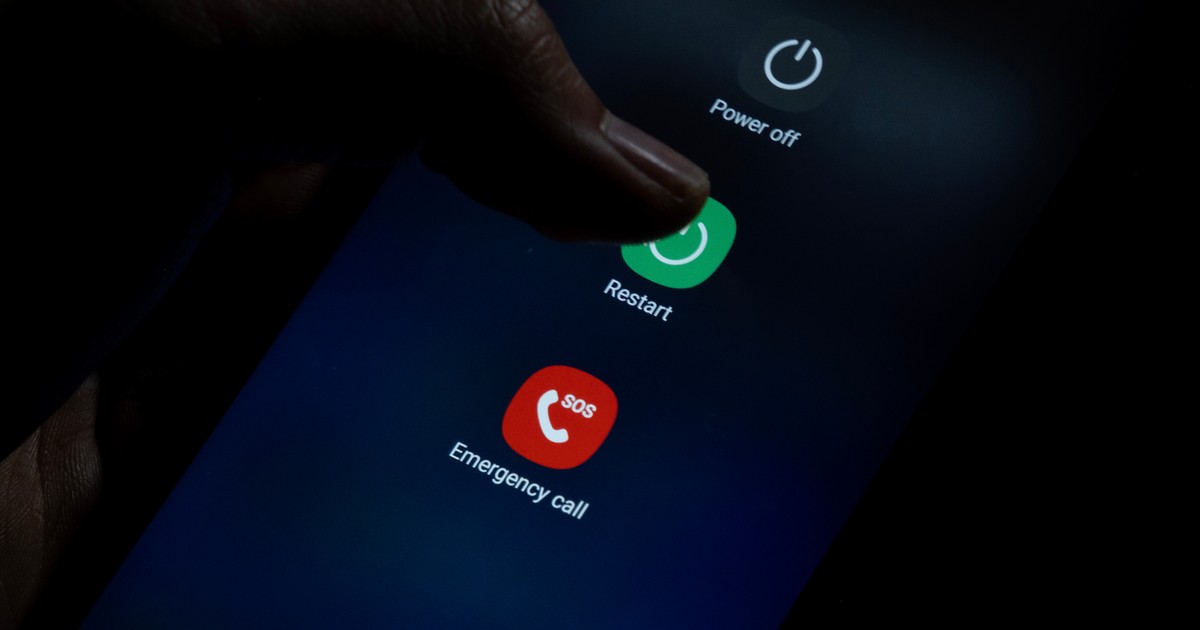
Mobile technology experts, including hardware manufacturers like Samsung and cybersecurity institutions, consistently recommend restarting your phone regularly. Importantly, this practice is not just a suggestion, but is based on solid technical foundations that help avoid common problems. Although there are also controversies.
In this piece, we'll take a closer look at the reasoning behind these recommendations, combining practicality with safety concerns, and give you tips on how to implement this routine into your everyday life to get the most out of your smartphone. And – of course – we'll think about what sense it makes.
Read also in BUSINESS INSIDER
Regularly restarting your smartphone is a practice that may seem trivial, but it is supported by the recommendations of experts in the technology and digital security industries.
Speed up your smartphone
One of the main reasons is to improve the efficiency of the device. Over time, when we use applications, browse the Internet or receive notifications, the operating system accumulates numerous temporary data, background processes and minor software errors in RAM. These elements add up, causing your phone to respond slowly, programs to freeze frequently, or apps to take longer to launch. And no, it is not enough to simply free memory with one button that turns off background applications. We are still talking about processes operating at the level of the system itself, or memory leaks.

|
Tirachard/Getty Images
Restart works like a reset of these accumulated elements – it completely clears RAM, restoring the smartphone to its original speed and smoothness, without the need to interfere with settings or delete files. Producers, including: Samsung, for years, has emphasized that such a simple step can prevent frustrating performance issues and even extend battery life because a less-stressed system uses less energy on unnecessary background processes.
Security issues
Another key aspect is security. Experts emphasize that regular restarts play a key protective role against digital threats. In today's reality, when smartphones are exposed to malicious software attacks such as viruses, malware or spyware, many of these threats are not permanently embedded in the device's mass memory, but hide in RAM. This means that such malware is often not permanently installed on the smartphone (which would leave a trace), but operates in this temporary cache, where it operates silently, exploiting vulnerabilities in the system or applications. An example is advanced malware that monitors user activity without leaving traces in permanent memory.
- Read also: A common mistake when charging a smartphone. Many people do this
Restart eliminates such threats because it forces all processes to close and RAM to be cleared, removing volatile pieces of malicious code. Even the National Security Agency (NSA) in the US includes this practice in its best practice guidelines for mobile device use, recommending that you turn your phone off and on at least once a week to minimize the risk of infection.

Pegasus
|
www.mariomartija.es / Shutterstock
This is especially important in the context of so-called zero-click attacks, where malware installs without the need for user interaction. This is how Pegasus spyware works, for example, and can infect devices through hidden vulnerabilities in Android or iOS systems. In such a case, restart becomes a very simple but effective tool in the arsenal of everyday cyber hygiene, available to everyone, without the need for advanced technical knowledge.
Unfortunately, this is not always an effective method. Hackers can outsmart us and make us believe that the smartphone has restarted when in fact it has not. Some types of malware, including well-known spyware like Pegasus, use clever tricks to avoid detection even when the device is turned off. One such technique, known as “NoReboot”, simulates the process of turning off the phone – the screen goes dark, the device stops responding to touch, the Android logo appears, but in fact it is not a reboot, but a cleverly crafted animation.
The system continues to run in the background, maintaining a connection to the network and allowing further spying or data transfer. RAM is not clearing. All because hackers took control of the power off button, forcing the smartphone to play this theater instead of performing a real restart. In such a scenario, a real restart, especially one forced through a combination of physical buttons, can effectively interrupt this process and remove the threat from RAM.
A conspiracy theory that isn't really a theory
The National Security Agency's (NSA) recommendation to regularly restart smartphones sounds at first glance like sound advice in the context of cybersecurity, but there is also speculation that suggests more complex motives behind this suggestion. There are even claims that the NSA may be promoting this practice because many mobile devices, especially those used in the United States, could contain their own discreet spyware installed as part of surveillance programs.
- Read also: How often should you replace your phone? This is what Poles often do
Over time, such tools can cause subtle system slowdowns by constantly running in the background, which could make users suspicious. Since the agency does not have the ability to remotely restart phones without the risk of detection, the public recommendation encourages people to perform this activity themselves, which in turn clears memory and restores smooth operation, masking the presence of spyware. These theories are based on historical reports of programs such as PRISM and the Edward Snowden disclosures, which revealed the agency's cooperation with technology manufacturers to facilitate access to data.
These speculations are not just pure conspiracy fiction. Moreover, they are also based on real mechanisms of action of some malware, which sometimes require a restart to be fully activated.

Data theft (visualization)
|
Samantha Lee/Business Insider
There are cases in which the malware intentionally waits for a restart to complete the installation or activate additional modules – the sooner the user performs this action after unknowingly infection, the sooner the software will begin to function fully. This shows the duality of the restart: it can serve as a defensive tool, but in the hands of other cybercriminals it will become a necessary step to escalate the attack, which highlights the need to be careful and combine this practice with other security measures such as antivirus scanning, careful handling of files, links, etc.
It is worth being aware of how complex the cyberthreat ecosystem is, where even simple actions such as a restart may have hidden implications. While evidence of the direct motives of the NSA or other government agencies remains speculative based on analysis of public documents and attack reports, actual cases of malware requiring or simulating reboots are documented in security research. Users should use this information as a reminder to exercise caution, not as a reason for paranoia, and focus on the practical benefits of a restart while monitoring their devices for unusual behavior such as excessive battery consumption and unauthorized network connections.
What to do to protect your smartphone?
If your smartphone runs smoothly, without any noticeable slowdowns, freezes or suspicious behavior such as unexpected data or battery consumption, then regular restarts do not need to be performed every day. However, this practice appears to be completely harmless to the device – it does not cause any data loss or negative impact on the hardware. Manufacturers, including Samsung, OnePlus and Google, often include this recommendation in their official guides, treating restarting as an additional step in maintaining optimal performance. It is worth remembering that in the absence of problems, a restart can serve as a preventive measure, preventing the accumulation of minor system errors that could over time escalate into larger issues, such as processor overheating, memory leaks or conflicts between applications.
To make this practice easier to implement, many manufacturers offer an automatic restart option, which eliminates the need to manually remember to do this. For example, on Samsung Galaxy devices, users can configure this in the system settings by going to the “Device Care” section and then selecting “Auto Optimization and “Auto Restart” from the top menu.
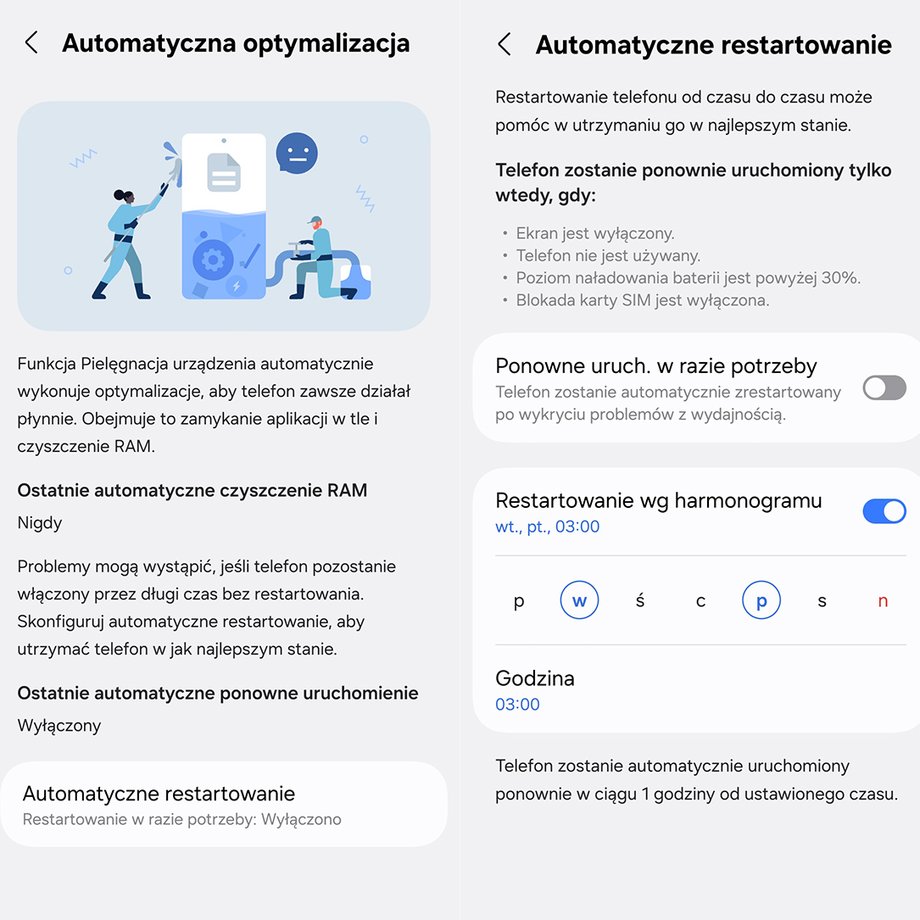
Automatic restart on Samsung Galaxy
There you can schedule the restart for specific times, for example at night when the phone is unused and connected to the charger, provided that the battery level is above 30 percent, which prevents the process from being interrupted.
Similar features are available on OnePlus models, where the option is located in the battery settings, allowing the device to automatically turn off and on at set times. If your phone doesn't have the option built-in, you can use third-party apps like Tasker on Android that automate rule-based restarts, although it's always worth choosing trusted sources to avoid the risk of installing additional malware.
- Read also: Do you charge your phone at night? Here's why it's better not to do that
As for frequency, experts suggest adapting it to individual needs and institutional recommendations. For security purposes, as the NSA emphasizes, one reboot per week is enough, which effectively minimizes the risk of malware persisting in RAM without interfering with everyday use. However, if you experience performance issues such as delays in opening applications or rapid battery drain, increase the frequency to even daily restarts.
Android updates are very important for security
|
quietbits
It's also important to combine restarts with other habits, such as installing operating system updates, which often contain security patches that patch known vulnerabilities, such as those exploited by spyware. Regularly checking application permissions and avoiding downloading files from unknown sources further strengthens your protection.
In situations where you suspect the presence of malware – for example, the appearance of unknown notifications, an increase in data usage, or unusual heating of the device – a restart should be the first step, but not the only one. If symptoms persist, consider performing a hard reboot by holding the power and volume buttons at the same time (depending on model), which forces a full shutdown without being able to simulate the “NoReboot” tricks.
In extreme cases, when nothing helps, consult the manufacturer's service or use the diagnostic tools built into the system. Also remember to back up your data before such activities to avoid data loss.
To summarize, regular restarting is a simple, free method to keep your smartphone in shape. Don't ignore this advice – experts know what they're talking about, and the consequences of negligence can be costly, from frustration to real risk of data loss.