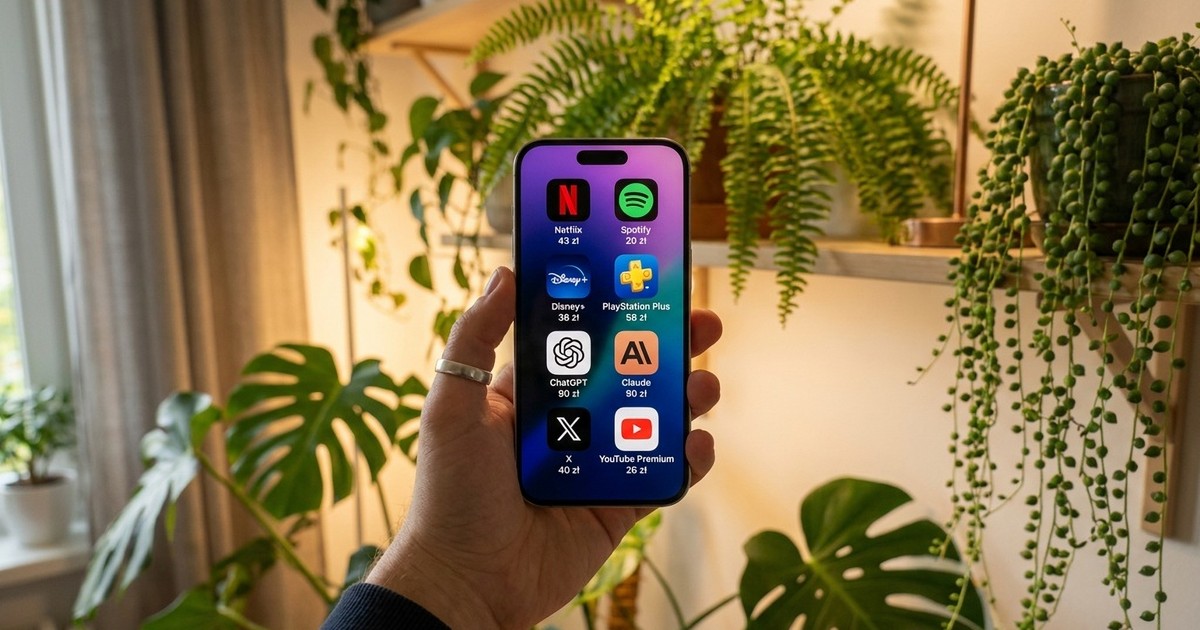
Several active subscriptions are common to most people. Even assuming that we approach the topic in a very minimalist way, the fixed fee for Netflix, Spotify and e.g. Onet Premium is within the reasonable limits. And yet the vast majority of people also add other items to this list – an application with audiobooks, a premium account on YouTube or one of the social media platforms, and increasingly an improved version of access to AI tools – Gemini, ChatGPT or Claude. You can go on and on, but it all comes down to simple mathematics – in exchange for access to a range of services, we pay from several dozen to sometimes even several hundred zlotys per month. This translates into four-digit amounts annually.
Although in a situation where we use only a few subscriptions, controlling what, how much and when is charged from our account seems relatively simple, it is when there are a dozen subscriptions – the matter becomes more complicated. Some people, in their daily rush, may also simply forget that they have activated a recurring fee, especially if it was a relatively small amount – e.g. a few zlotys a month, sometimes difficult to notice in the account.
Fortunately, to better control what we spend our money on, we can use two reliable and completely free tools. One thing – it is embedded in every smartphone with iOS and Android. The second… can be found inside every banking application.
Control your subscriptions from your smartphone
First of all, let's look at how we can check active subscriptions in iOS, i.e. on devices such as iPhone or iPad.
Step 1
Go to “Settings”
Step 2
Select the first item at the top of the list with your account name
Step 3
Select the fourth item from the top called “Subscriptions”
Subscriptions on iOS
|
Łukasz Gołąbiowski / Onet
The list will show all current and past subscriptions that were activated through your Apple account. If you want to disable any of them, just click on it and select “Cancel subscription” at the bottom of the screen. Here you will also find detailed information about the amount and renewal period.
In the case of Android, this functionality works similarly, although it can be found in a slightly different place.
Step 1
Open the Play Store
Step 2
Select your account profile picture in the top right corner
Step 3
Select the sixth item from the top called “Payments & Subscriptions”
Step 4
Select “Subscriptions”
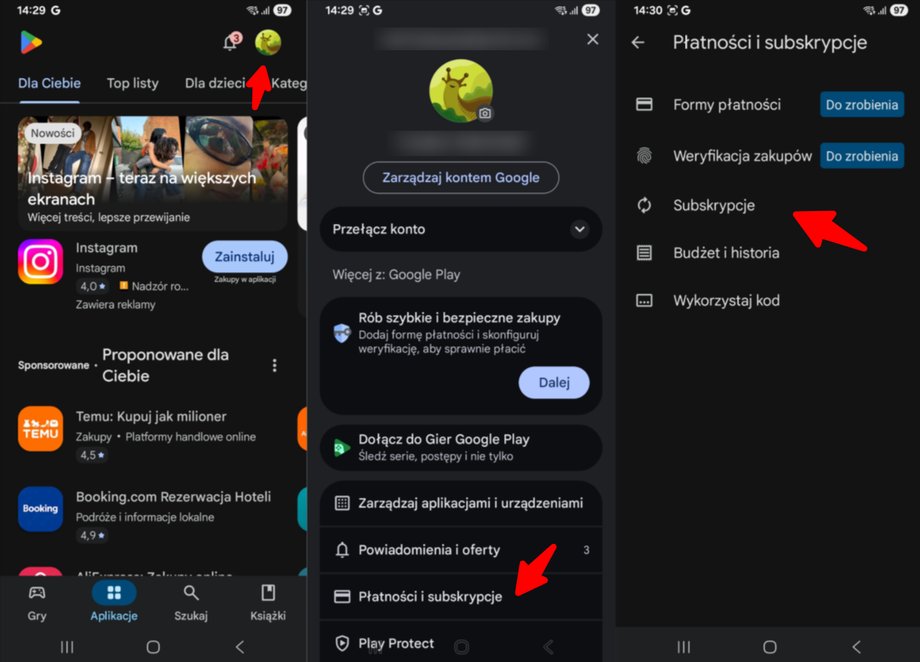
Subscriptions on Android
|
Łukasz Gołąbiowski / Onet
All active subscriptions assigned to a given Google account will be displayed here. By selecting an individual item, we can go to the details and if we want to disable any of the services – just click “Cancel subscription”.
In both the Apple and Google ecosystems, we can also control active subscriptions from a computer and desktop browser. To access account and subscription details, simply log in to the appropriate page. By clicking on the links below, you will be taken to the appropriate page, which will require logging in.
- Your active subscriptions assigned to your Google account
- Your active subscriptions assigned to your Apple account
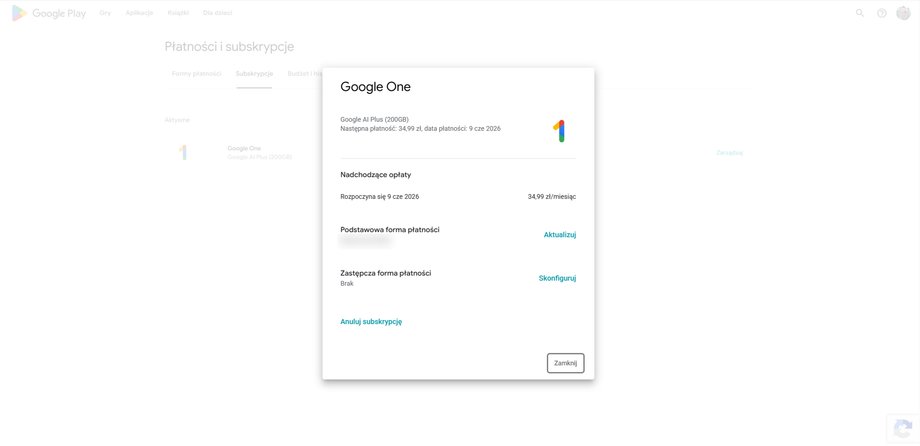
Google Play Subscriptions (desktop)
|
Łukasz Gołąbiowski / Onet
How to check active subscriptions in the banking app?
If we want to make sure that we do not have any active subscription not assigned to a specific Google or Apple account and which regularly debits our account, just log in to your banking application. Currently, each allows in a simple way check recurring payments in two ways — by suspecting incoming automatic payments and appropriately filtering the history of operations. Depending on the bank, the nomenclature used may vary, but it usually follows a similar process.
Step 1
We open our bank's application
Step 2
We open the “Payments” section
Step 3
We look for and open the “Upcoming payments” or “Planned payments” option
The list that appears will show all recurring fees assigned to a given account. Some banking applications allow you to block them from this screen, others only display information about the date and amount. Cancellation must be carried out via a given service or by contacting the bank itself.
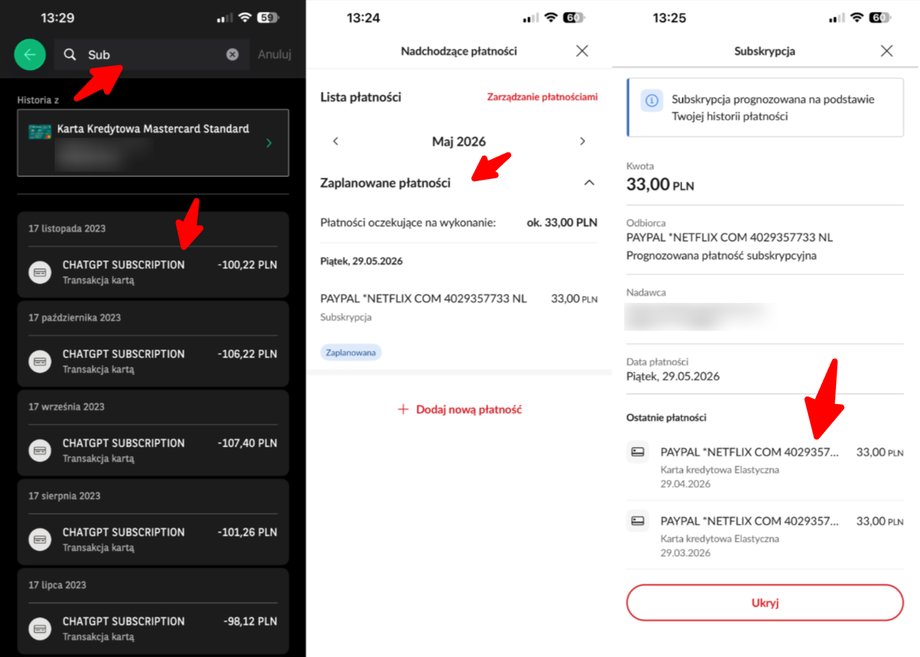
Subscriptions in banking applications
|
Łukasz Gołąbiowski / Onet
If a subscription is assigned not to an account but to, for example, a credit card, information about the collected receivables should be sought elsewhere.
Step 1
We open our bank's application
Step 2
Go to the “Products” or “Finance” tab
Step 3
We select the card we want to check
Step 4
Select the “History” tab
Here I will receive a full list of completed transactions, which we can additionally filter. When opening the full version of the history, we can choose, for example, to limit the display only to charges for a given card. If we want to further limit the number of displayed transactions, we can use a keyword, e.g. “Subscription”, “Subscription”, “Bill” or “Account”. Due to there is no unified way of naming this type of transaction, but it is worth manually reviewing the list to look for expenses that we do not recognize. If they have been repeated for several months (for exactly the same amount, have the same name) – we are dealing with a subscription that should be canceled from the level of the given service. If there is a problem with this, such a recurring transaction can also be blocked after contacting the bank or card operator.
Using these two methods – system subscriptions and the banking application, we are able to very easily locate all active payments. Both those that we are aware of and those – for lack of a better term – “hidden”, which were, for example, activated under the contract after the free trial period.
Some people, tempted by very aggressive forms of promotion, may, however, find an alternative in the form of external services that offer the ability to control subscriptions. Their main “advantage” is keeping everything in one place, along with the promise of being able to conveniently cancel unwanted services. Although this possibility appears in some cases… it involves a certain trap that many people attracted by the vision of potential savings fall into.
Subscription management apps – are they worth it?
The short answer is… no. Not because they don't work, but mainly because they do exactly what we can do ourselves, and the vast majority of them charge for it (ironically) in subscriptions and require connection to bank accounts and cards. And although our funds as such are not exposed to risk in this way, they are sharing transaction history with third partieswhich can then trade them – is not a very good move from a privacy protection perspective. All it takes is for such a database to fall into the hands of hackers – they can then use this knowledge against us by sending us, for example, a false e-mail with information about the need to update the payment method or about some arrears. Links embedded in the content may lead to real financial losses.
The applications we will list in a moment, in most cases they only read data available in the account statement, in the e-mail box or in the system list of recursive payments discussed above, available from the settings of each phone. In theory – this way we free up a bit of time that would be needed to log in to the bank's application or check the dedicated space in iOS/Android, but is it really worth these several dozen zlotys?
Rocket Money
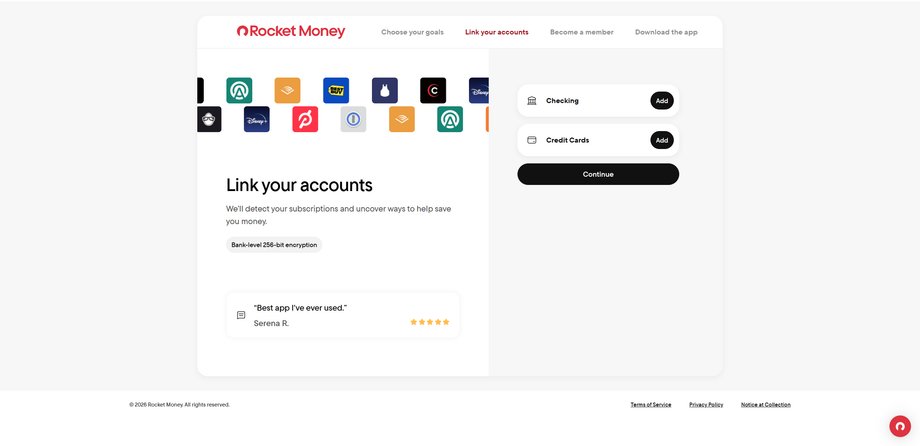
Rocket Money in the desktop version
|
Press materials
A heavily promoted application intended primarily for the American market, not available in its classic form in Poland… whose practices can be quite questionable. If we manage to set up an account there – A card or account associated with a US financial institution is required — we can view the read data from the dashboard and choose which subscription we want to cancel (this requires an active subscription, the free version only allows viewing). As an experiment, we connected a PayPal account to the application, to which several subscriptions worth a total of approximately PLN 80 per month were connected. It's less than PLN 950 per year. Just a moment later, we received an e-mail from Rocket Money, indicating that subscriptions in the amount of $1,300 were being paid from the account. per month (PLN 4,700), which can be reduced. This is obviously untrue which in fact, it turned out to be just a marketing ploy (calculations are probably the maximum possible maximum of all packages, not real payments). To learn the alleged details, after clicking on the link in the email, we are taken to the option of purchasing a monthly subscription. The cheapest costs around $7. per month, i.e. PLN 25.
Spendee
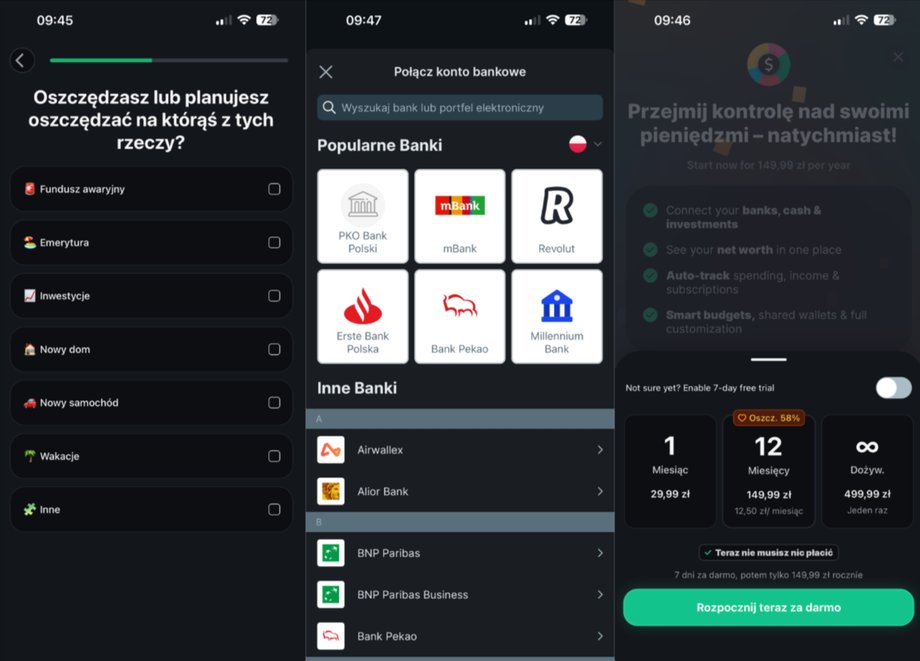
Spendee application available on mobile devices
|
Press materials
Another popular budget management application that also allows you to cancel active subscriptions. Unlike Rocket Money, it does not require having an account in an American financial institution, we can normally download it in Poland and connect it to one of the domestic banks… but it also requires paying a monthly subscription. It costs PLN 30 per month and approximately PLN 150 per year. We can add an unlimited number of subscriptions to the monitoring application without paying, but we must add all information regarding the payment method, time and service name manually. The application will remind us when the payment deadline is approaching and if we want to resign from it – it will have to be deactivated from the payment panel in a given service.
Bobby
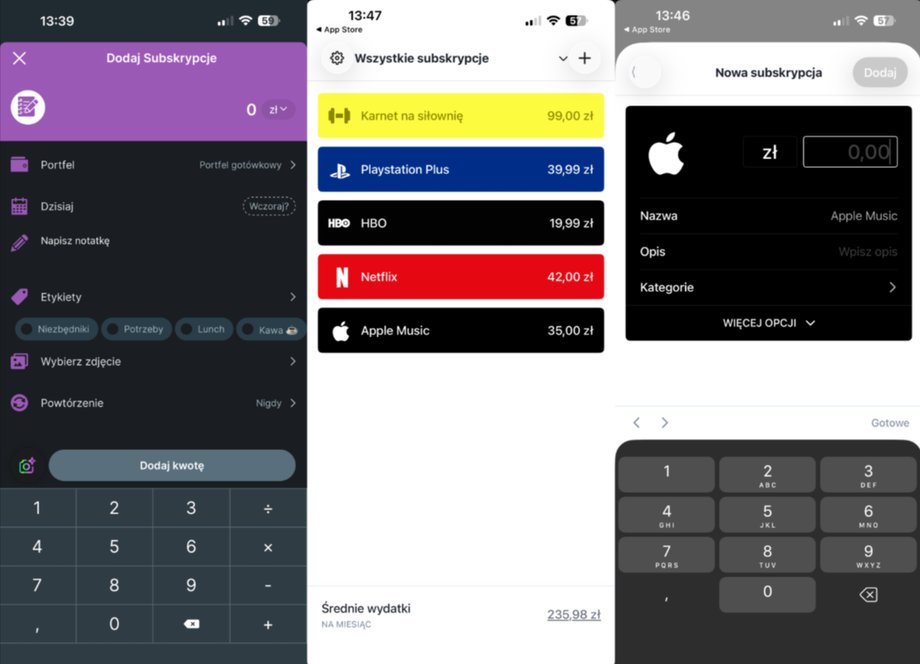
Bobby app on mobile devices
|
Łukasz Gołąbiowski / Onet
In fact, the only truly free subscription management app worth recommending. It does not force you to make any additional paymentsis very simple… but also devoid of any automation. Each subscription must be added manually, along with all the necessary data. There is no way we can block such a payment from the application level, but for people who tend to forget how much and for what they pay – this may be a useful option. Of course, provided that they don't forget to add a given item to the list. This is not much different from the information found in the banking application and the system “Subscriptions” section, but if it is scattered across different ecosystems – due to the lack of additional “Premium” plans within the application, unlike the competition, Bobby is worth considering.
There are, of course, plenty of other options on the market, but they all work exactly the same way and fit into one of two patterns. Either they are actually free and require manual entry of active subscriptions, or they allow for some form of automation, but require sharing our account history (which involves privacy risks) and require payment themselves – either one-time or recurring.