— KSeF was not completely foreign to me. At the beginning of January, I looked into the Certificates and Authorizations Module (MCU) for the first time. However, I did not issue any documents at that time, I only checked logging in, creating certificates and granting permissions – says Mr. Marek.
However, it was only today that he issued a full-fledged invoice for the first time. What surprised him?
— When you asked me for help, I thought: I won't wait until midnight. I was convinced that the Ministry of Finance would launch the system earlier so that it could be safely tested. Meanwhile, on Saturday, until midnight, KSeF was still displaying the “technical break” message, says Mr. Marek. A message about the system under construction appeared on the taxpayer's application website. After midnight, the taxpayer's application started.
Read also: The revolution, i.e. KSeF, is starting. Want to be ready? Read it
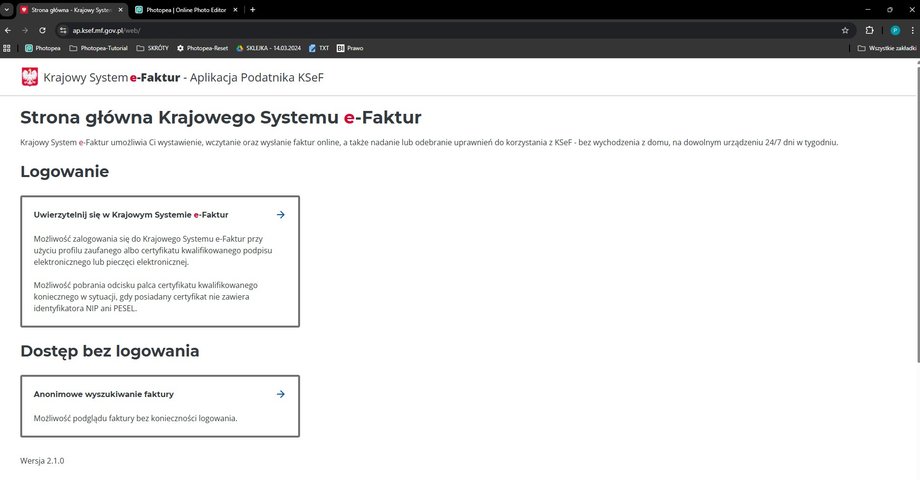
KSeF Taxpayer Application
|
mf.gov.pl
A button with a link to the login page appeared on the KSeF information portal.
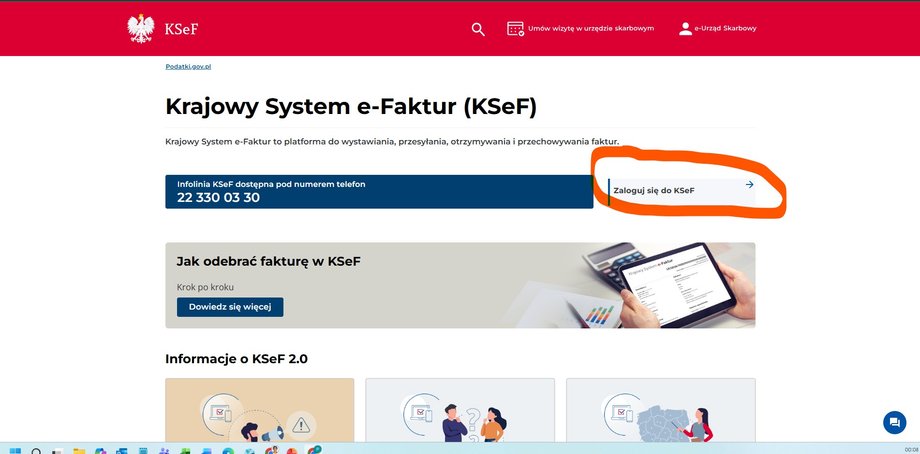
Log in to KSeF
|
mf.gov.pl
Login. There were almost no problems here
To log in to KSeF, you must authenticate. There are two options to choose from: a qualified certificate (paid qualified signature or electronic seal) and a trusted profile (free of charge). Mr. Marek logged in to KSeF using a trusted profile and electronic banking.
– I use e-administration quite often, so there were no problems – he reports.
To enter the system, you must provide your company's Tax Identification Number and confirm your identity. After authenticating via PZ and SMS, the user goes to the KSeF main screen. On the left you can see a vertical menu in which they are listed first Invoicesand below – Session history, Right, Tokens and Certificates.
The central part of the page presents a description of the operation of the National e-Invoice System – a reminder that it is used to issue, send, receive and store structured invoices. This is where the user starts the entire document issuance path.
See also: KSeF starts on February 1. See what you need to know about him
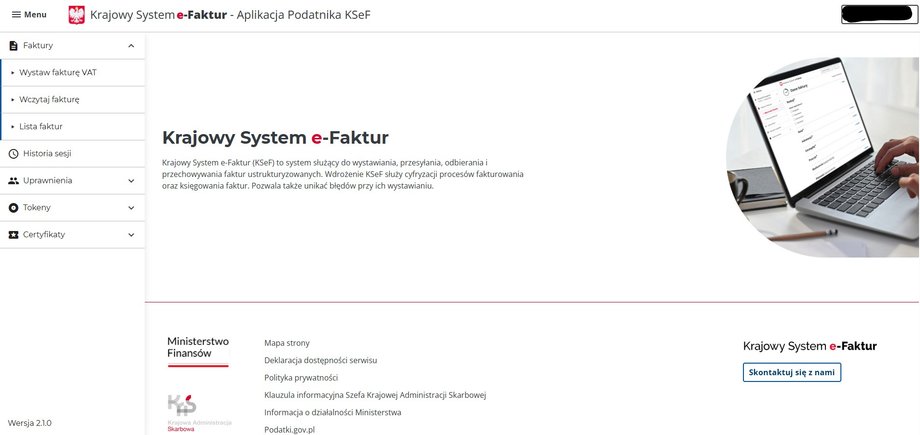
KSeF home page
|
mf.gov.pl
Issuing an invoice. Lots of options to choose from
Then Mr. Marek went to the tab Invoices.
“And here I was really surprised by the number of options available,” he says.
So far, Mr. Marek has used a commercial invoicing program. Everything was simple there: the system automatically assigned the invoice number, the date was selected from the calendar, the contractor was selected from a saved list, and the entrepreneur only entered the name of the service and the amount.
In KSeF it looks different. At the beginning, you need to indicate one of four invoice types: basic, advance payment, settlement or corrective.
– Here the decision was obvious: the basic invoice – says Mr. Marek.
See also: Will you be able to deduct VAT from an invoice outside KSeF? Look
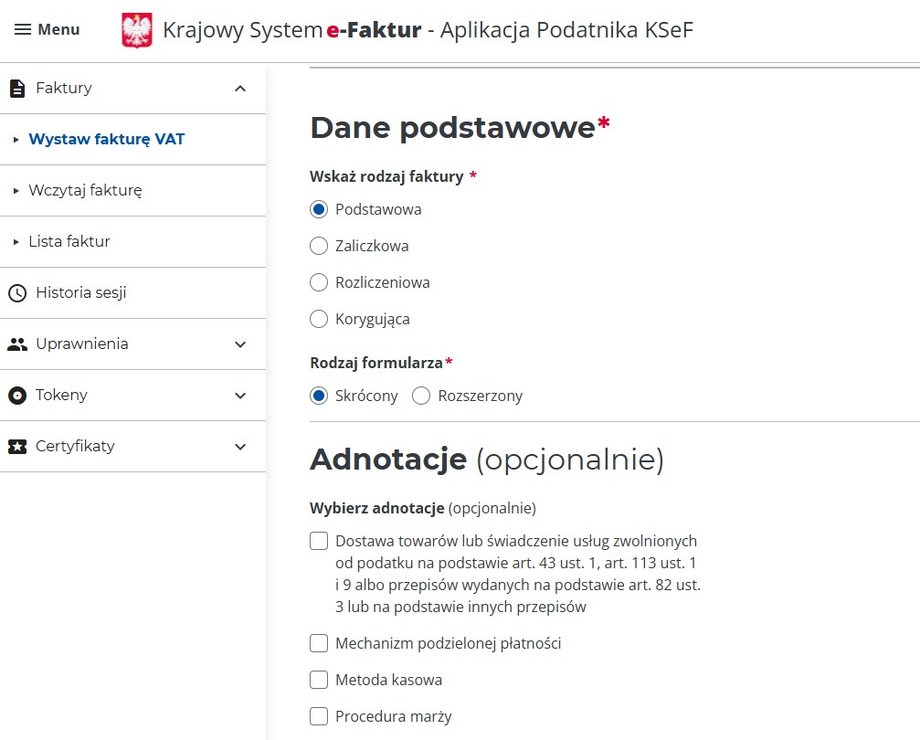
Issuing an invoice
|
mf.gov.pl
Shortened or extended form
The next step turned out to be less intuitive. The system requires you to choose between short form and extended.
— I chose the shortened one, but completely blindly. “I have no idea what the difference is,” he admits. The short form hides many advanced fields available in the extended form, e.g. annotations, WZ numbers, transport data).
— Then I had to enter the invoice number. I entered 1 because it is the first invoice in February, says Mr. Marek.
It is worth knowing that the invoice number is the one assigned by the seller, which is different from the unique invoice identifier in KSeF, which the system generates automatically only after the document has been successfully sent.
Then Mr. Marek had to choose a date with the note “subject to Article 106 of the VAT Act”.
— I didn't know this recipe, so I checked it on the Internet. It turns out that this simply means that the structured invoice is considered issued on the day it is sent to KSeF. And this surprised me, because the message in the system was very imprecise, he describes.
The next step is to select the date or period to which the invoice applies.
– And surprise again. I selected the basic invoice, so I expected to only see the options that apply to it. And yet the system showed more of them – he reports.
The point here is that the “Period covered by the invoice” requires a start and end date. Skipping one of them will block the transition to the next screen.
Next, it was time to choose the currency. And only after about 10 minutes did Mr. Marek reach the section: “name of the product or service”.
— Fortunately, the system calculated VAT itself – he adds.
However, further problems quickly appeared. The system asked for “additional information on the invoice”.
“And I don't even know what I should put in there, so I left it out,” he says.
Date and form of payment
Then he went to the payment section – and here, too, a surprise awaited him.
— I thought it was about knowing whether the invoice has been paid. I usually just enter the due date. Meanwhile, in KSeF it was a separate, optional point. The worst thing, however, was that I had to manually select the payment date from the calendar. In my program I simply choose 7, 14, 30 or 60 days. And here I have to count when exactly 14 days have passed – Mr. Marek is irritated.
Then Mr. Marek had to enter the account number.
— I don't know it by heart, so I had to look for it again. And yet the tax office knows my account number – he comments.
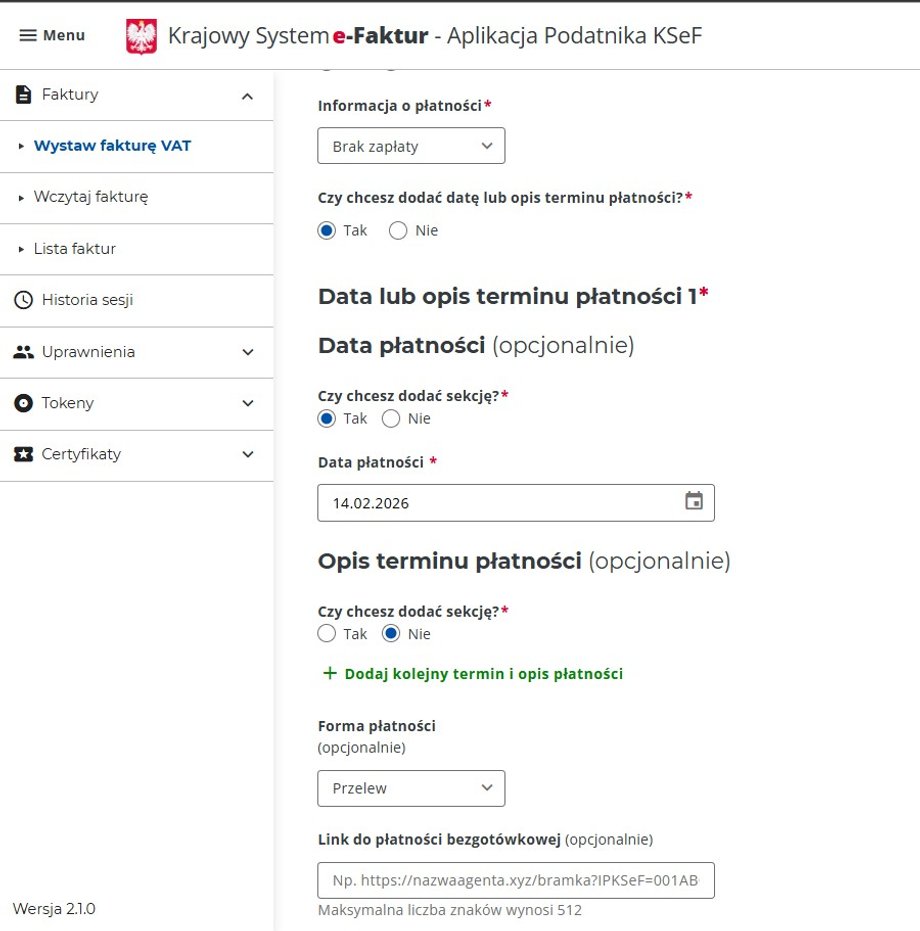
The invoice payment date is selected from the calendar
|
mf.gov.pl
Seller and buyer
The big surprise was that the system again asked for the seller's NIP and address.
— I issue an invoice as a logged in, authenticated user. The system knows who I am. I don't understand at all why I have to enter the Tax Identification Number again and I can't even copy it – says Mr. Marek. Fortunately, after completing it, the system will download the remaining address data.
Finally, KSeF asked to indicate whether the buyer is a local government unit or a member of a VAT group. But the biggest surprise came a moment later.
– Just imagine that After several steps, I was able to download the invoice in XML format, but I couldn't see its visualization to check if I had done everything correctly. The invoice preview appeared only at the very end – complains Mr. Marek.
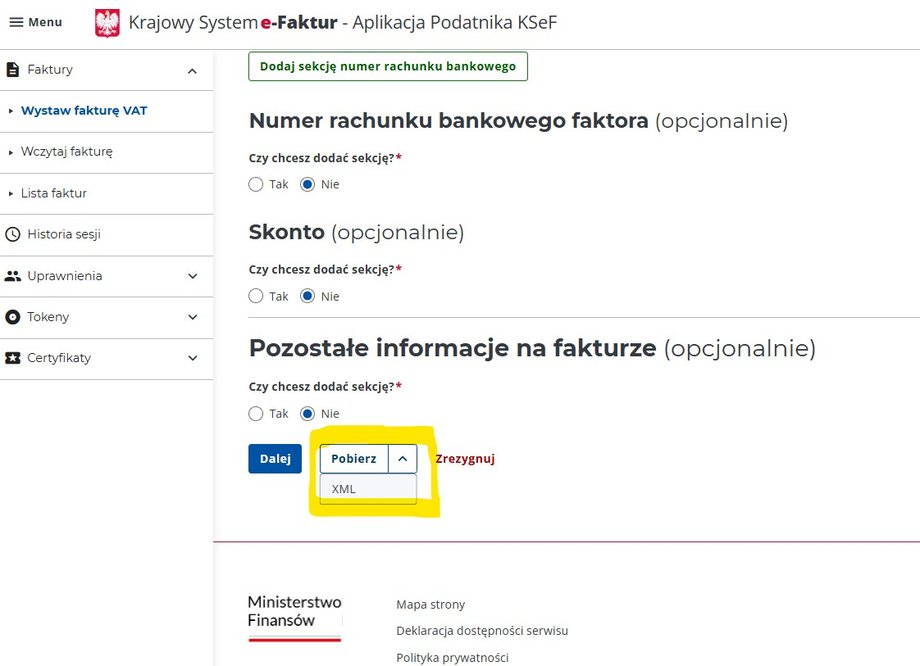
No preview of the invoice visualization
|
mf.gov.pl
However, he emphasizes that it is worth checking everything carefully before clicking the “send invoice” button. In case of a mistake, a corrective invoice must be issued using an extended form.
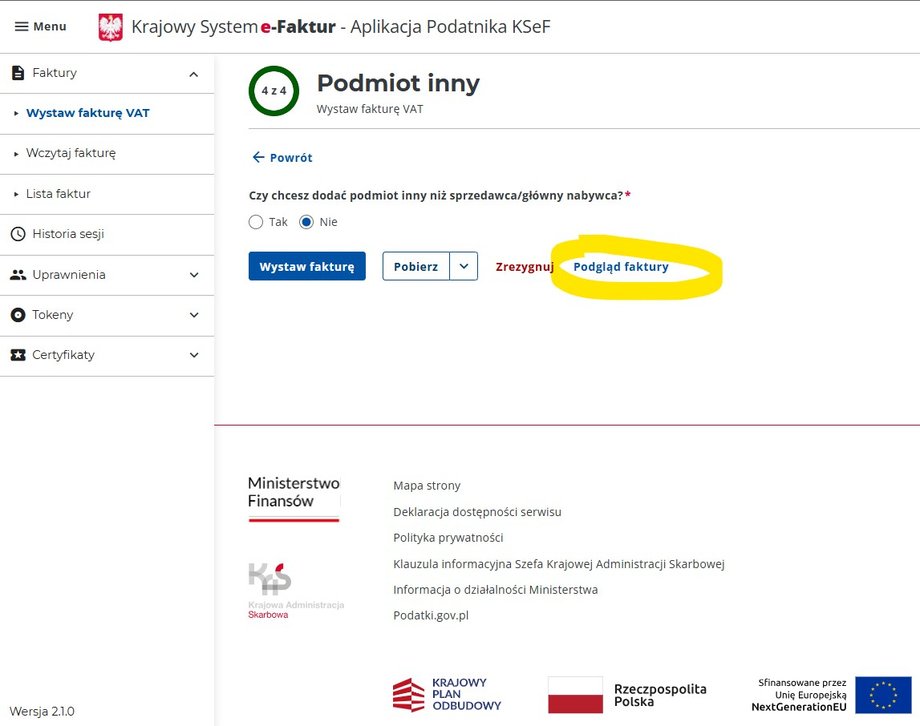
The last step in issuing an e-invoice
|
mf.gov.pl
I sent the first invoice to KSeF
Finally, he managed to go through all the stages and send the first invoice to KSeF.
— After several seconds, the system generated the KSeF invoice number and the document appeared on the issued list – reports Mr. Marek.
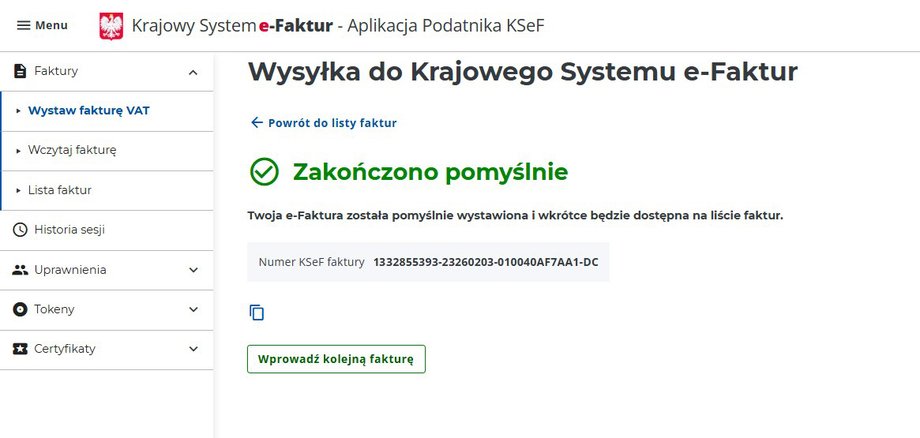
The invoice at KSeF has been issued
|
mf.gov.pl
To see it, he had to go to the “List of invoices”. From this level, you can download both an e-invoice in an XML file and its visualization, which looks like existing invoices.
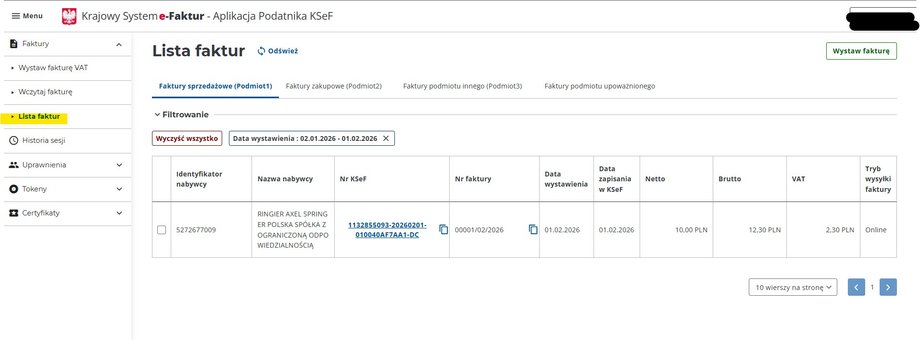
The first e-invoice on the invoice list
|
mf.gov.pl
Since the first attempt was successful, Mr. Marek decided to check the process again.
— But when I saw that I had to re-enter all the data from scratch, including remembering the next invoice number, because the system doesn't suggest it and doesn't automatically assign the next invoice number. AND I resigned – sums up.
However, when you click on the invoice number from the invoice list, its visualization and the “issue a similar invoice” option with the same data will be displayed. This may make the process easier, but the new invoice number still needs to be entered manually.
Conclusions. The system works, but it has drawbacks
— The system started after midnight and works, but it has drawbacks. It surprised and disappointed me in several places. I understand that the system is just starting out and that it is a very large, difficult and complicated undertaking, but the invoicing process itself could have been better prepared. There are a few facilitations and clear, understandable hints missing. It is the state that forces me to use KSeF, so it should propose a tool fit for the 21st century. And here there are no solutions that are standard in commercial programs – says Mr. Marek.
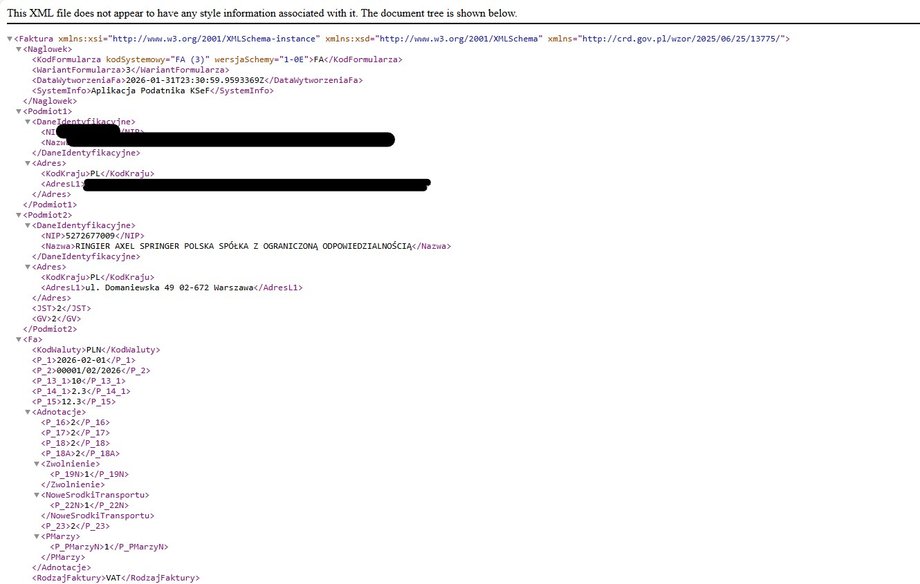
E-invoice in xml format
|
mf.gov.pl