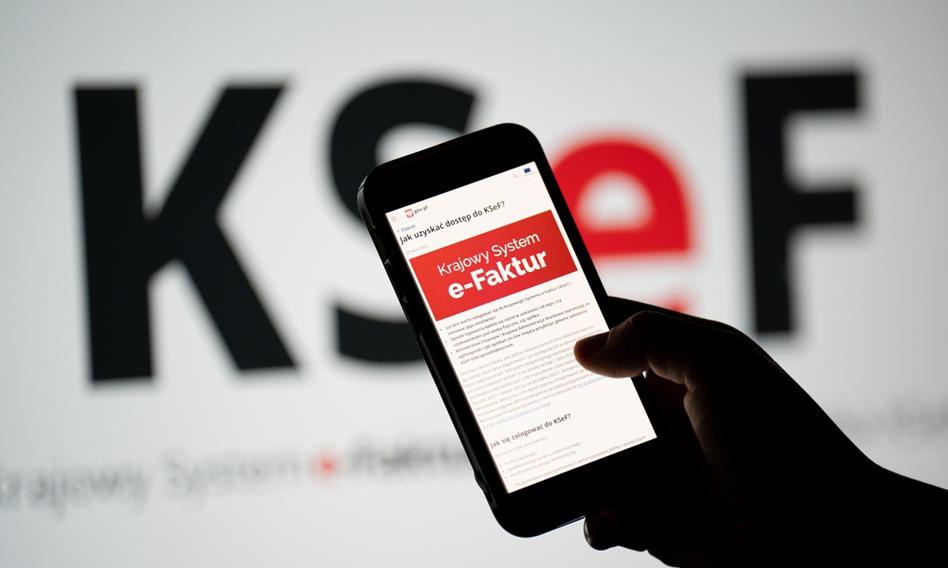
The National e-Invoice System has entered a new stage. On April 1, the vast majority of companies became obliged to issue invoices. Are you just starting your adventure with the system? Read the basic information and find out what you need to pay attention to.
The National e-Invoice System (KSeF) has come into force in Poland February 1. On that day, issuing invoices became mandatory for the largest taxpayers who had a turnover of over PLN 200 million in 2024. The next important date for the system is April 1. On that day, other entrepreneurs must join KSeF. The exception are those whose monthly sales do not exceed 10,000. PLN per month. They will be in the system from January 1, 2027.
What should entrepreneurs affected by the system remember? How to move with it? What to pay attention to? We answer below. We provide tips from experts from the Ministry of Finance.
How to log in to KSeF?
- Go to the website: ksef.podatki.gov.pl and click on the “Log in to KSeF” panel on the right.
- Select your login method. You can log in via:
- login.gov.pl (including the mObywatel application, electronic banking, e-ID or Zaufany Profile),
- qualified signature or electronic seal.
Login via the mObywatel application
- choose login via login.gov.pl,
- indicate the mObywatel application as the authentication method,
- scan the QR code in the application on your phone,
- confirm data sharing.
After logging in, you will be able to use the system in accordance with your scope of authorization. If you are acting on behalf of a company, make sure that you have been granted appropriate permissions in KSeF.
What if I make a mistake when issuing an invoice to KSeF?
The year 2026 is transition period – during this time, no penalties are imposed for errors related to the use of KSeF. The most important thing is to calmly learn the new rules, implement the system and adapt processes in companies.
Who must use KSeF?
The obligation to use KSeF (with respect to issuing invoices) is being introduced in stages:
- from February 1, 2026 – for entrepreneurs whose sales value (including VAT) exceeded PLN 200 million in 2024,
- from April 1, 2026 – for other entrepreneurs and other entities issuing invoices (except for certain cases provided for in the regulations),
- from January 1, 2027 – entrepreneurs whose monthly sales value documented by invoices does not exceed PLN 10,000. zloty. gross.
A transitional solution is provided for the smallest taxpayers – if in a given month the value of sales documented by invoices (gross, including VAT) does not exceed PLN 10,000, there is no obligation to issue invoices to KSeF until the end of 2026. If this limit is exceeded, this obligation arises for the invoice that exceeded this limit.
Does the mandatory KSeF apply to consumers?
No – the mandatory KSeF does not cover invoices documenting sales to consumers (B2C). The obligation to issue invoices in KSeF applies to business-to-business (B2B) relations, while in the case of sales to natural persons who do not run a business, there is no obligation to issue invoices in KSeF. Such invoices can still be issued outside the system, under the previous rules. It is possible to voluntarily issue B2C invoices in KSeF, but remember to issue the invoice to the buyer in the manner agreed with him (e.g. as a printout or file with a QR code).
How to collect an invoice at KSeF?
a. Select a tool
You can use free solutions of the Ministry of Finance:
- KSeF Taxpayer Application (ksef.podatki.gov.pl),
- KSeF Mobile Application,
- e-micro company (via e-Tax Office).
b. Log in to the system
- via the KSeF website or accounting system,
c. Search for an invoice
- go to the “List of invoices” tab,
- You will find all invoices issued for you there.
Regularly check whether there are new invoices – this is important, for example, for the payment deadline.
How to get a certificate and what are its types?
Types of KSeF certificates:
- type 1 certificate – used for authentication in the system,
- type 2 certificate – required when issuing invoices in special modes (offline – KSeF unavailability, offline24, emergency mode); allows you to mark the invoice with a QR code for verification.
How to get certified?
The KSeF certificate can be obtained by submitting an application in the system – this functionality is available in the KSeF 2.0 Taxpayer Application.
To obtain a certificate:
- you must authenticate yourself in KSeF as a taxpayer or an authorized person (e.g. with the National Electronic Identification Node, a qualified signature or a qualified seal),
- then submit an application for a certificate, providing the data required by the system,
- After correct processing of the application, the certificate is issued and available for download.
The KSeF certificate is valid for no longer than 2 years from the date of its creation or from the date of commencement of its validity indicated by the taxpayer.
Who can get certified?
The certificate can be obtained by any taxpayer/entity with a Tax Identification Number as well as persons and entities authorized by him. To obtain a KSeF certificate, you must log in to the system.
Detailed information at: ksef.podatki.gov.pl/informacje-ogolne-ksef-20/certyfikaty-ksef
How does self-invoicing work in KSeF?
Self-invoicing in KSeF works the same as before – the buyer may issue invoices on behalf of the seller, provided that the parties have concluded an appropriate agreement. The only change is the need to grant the buyer appropriate rights in the system to be able to issue e-invoices on behalf of the seller. The self-invoicing mechanism itself and the resulting tax obligations remain unchanged.
What happens when you exceed the 10,000 limit? zloty?
If in a given month you exceed limit 10 thousand zloty, you are obliged to issue invoices to KSeF – for the invoice that exceeded this limit. From this point on, subsequent invoices should also be issued in the system.
Importantly: once you exceed the limit, you do not go back to the previous rules, even if the sales value documented in invoices is lower in the following months.
What counts towards the limit?
Only sales documented with invoices that are required to be issued to KSeF are included in the limit. The limit is set as the total value of these invoices in a given month, calculated in gross amounts (including VAT).
The limit of PLN 10,000 does not include:
- sales to individuals (B2C),
- sales recorded at the cash register,
- receipts with NIP up to PLN 450 (simplified invoices),
- invoices excluded from KSeF on the basis of specific regulations.
How should I operate offline and offline 24 hours a day?
They operate under the mandatory KSeF 2.0 two modes of issuing invoices: online mode and offline mode. The online mode means issuing invoices by sending an invoice file to KSeF in real time. The offline mode involves issuing an invoice outside KSeF and sending it later to the system within the statutory deadline.
Offline modes:
- offline mode24 – you can issue an invoice without connecting to KSeF, but you are obliged to send it to the system no later than the next business day. Important: your contractor receives this invoice in KSeF – you do not issue it to the buyer before sending it to the system.
- offline mode (KSeF unavailability) – used when the KSeF system is temporarily unavailable (e.g. service breaks); you issue invoices outside the system and submit them to KSeF no later than the day after the unavailability ends. Important: your contractor receives this invoice in KSeF – you do not issue it to the buyer before sending it to the system. Information about the temporary unavailability of the system due to service work will be published in BIP MF in advance and will be available from the invoicing software you use.
- emergency mode – applies after announcing a KSeF failure in a message in the BIP of the Ministry of Finance and in the interface software. It allows you to continue issuing invoices despite technical problems in the system. During this time, the invoice is issued electronically in accordance with the FA(3) structure and transferred to the contractor in the agreed manner. It should then be sent to KSeF to assign a number – no later than within 7 business days from the end of the failure. Important: only in this case you can issue an invoice to your contractor before sending it to KSeF.
- • total failure of KSeF – an extraordinary situation in which KSeF does not function for systemic reasons (e.g. related to state security or infrastructure). A message about this failure will be made available in social media, e.g. radio, television, internet. During this period, taxpayers can issue invoices outside KSeF – without using the structured invoice template for KSeF and without the obligation to later send them to the system. Invoices can be sent to contractors in any way, which is intended to ensure the continuity of business transactions in crisis situations.
Note: if you issue an invoice outside KSeF, do not issue it again in KSeF. This action results in the issuance of two separate invoices for one sale. During the next sale, issue the invoice correctly in the system, and the buyer will collect it there.
We would like to remind you that the issuer can issue an invoice visualization to the buyer only after it has been registered in the system (assigned a KSeF number). Such an invoice is then marked with a KSeF code and number.
When and how to submit ZAW-FA?
ZAW-FA applies to gain access to the KSeF and appoint a person to operate it.
Who does it apply to?
- entities that are not natural persons (e.g. companies, local government units, foundations, associations) that do not have a qualified seal,
- enforcement authorities.
When to submit?
- before starting to use KSeF.
How to assemble?
- on paper – at the tax office or by post,
- electronically – through the e-Tax Office to the competent head of the office.
How to give permissions to your accountant?
The easiest way to assign permissions is using the KSeF system:
- log in to KSeF,
- go to permission management,
- indicate the person and give him the appropriate scope of rights.
We used information provided by the Ministry of Finance.