
The European Union, known for its strict data protection standards, introduced the General Data Protection Regulation (GDPR) in 2018. This law requires websites to obtain explicit consent from users to collect and process personal data using cookies.
Cookies are small text files that track our online behavior – from shopping preferences to browsing history – and are mainly used to personalize advertising, statistical analysis or improve website functionality.
The rest of the article is below the video
GDPR forces website owners to display consent forms. Many companies outsource this task to ready-made tools, which makes it easier to comply with the law, but for users, this means being constantly bombarded with pop-up messages. Without consent, the website may not function properly, which is additionally frustrating.
- Read also: The era of forms is coming to an end. New preferences of Poles in online payments
In practice, this means that every time we visit a new website, we have to confirm whether we consent to being tracked by dozens, sometimes even hundreds, of third parties – from Google to smaller advertising companies. Clicking through the list of suppliers to whom our data can go is not uncommon, and some forms contain over 50 options, which turns a simple visit into a clicking marathon.
Annoying, time-consuming and sometimes insidious
Ultimately, what was supposed to help us ensure privacy and security is only a nuisance, and out of convenience we agree to be tracked anyway.
There is probably no Internet user who would not sigh in frustration at the sight of another cookie banner. These windows not only interrupt the user experience, but are often designed in a manipulative way – the “Accept All” button is large and colorful, while the “Reject” button is hidden or requires additional clicks. In extreme cases, there are even messages like “pay to delete cookies”, which borders on blackmail.
According to estimates, the average European spends hours a year managing these consents. And when the form covers several dozen entities? This is not only a waste of time, but also a source of stress – especially when the page “freezes” until a response takes place. As a result, many of us simply click “Accept,” sacrificing privacy for convenience. But does it have to be this way?
Rescue in the form of a browser plug-in: Consent-o-Matic
Fortunately, technology comes to the rescue. A browser extension called Consent-o-Matic automates the entire process, eliminating the need for manual clicking. It works like an intelligent assistant: it recognizes common consent forms (including GDPR-based ones) and automatically rejects tracking rather than accepting it. By default, it blocks categories such as advertising, analytics and content personalization, but allows you to personalize your settings – for example, allowing cookies that are necessary for the website to function.
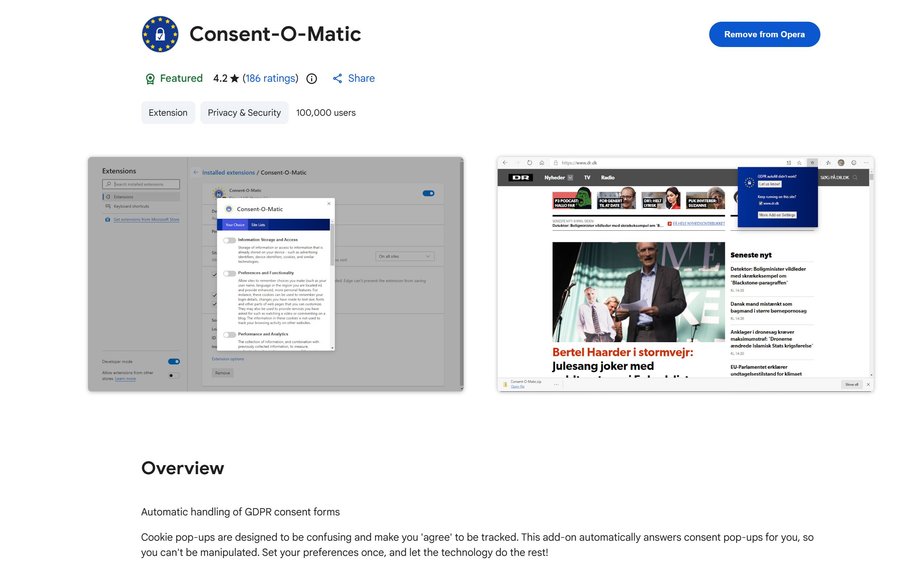
Consent-o-Matic
|
Bartłomiej Sieja / Onet
How does it work in practice? The plugin is “trained” on thousands of pop-up variants from the largest providers. If an unfamiliar form is encountered, the user can create their own rule, although this requires basic technical knowledge (e.g. using developer tools in the browser). Consent-o-Matic is free, open-source and available for popular browsers such as Chrome and Firefox.
- Read also: A new trick for cybercriminals. What is “brushing scam”?
Importantly, the plug-in is not the responsibility of a shady company from China or Russia, nor an anonymous group of hacktivists, but of programmers and researchers from Denmark's Aarhus University. Their work is also not aimed at profit and was created because of… their irritation with having to click through cookies every time.
Benefits? Save time – instead of clicking and unchecking various options, everything happens in the background. Plus greater privacy: unlike alternatives like “I Don't Care About Cookies” (which simply accepts anything that increases tracking over time), Consent-o-Matic opts for rejection. Users praise it for “taking back control of your data” and eliminating the stress associated with everyday web browsing.
How to install and configure Consent-O-Matic? A simple step by step guide
Consent-O-Matic is a free, open-source extension that automatically handles GDPR-style cookie consent banners – most often rejecting unnecessary tracking. It works on the most popular browsers and installation takes literally several dozen seconds.
1. Installation – Select your browser
Official project website: https://consentomatic.au.dk/. There you will find direct links to accessories stores:
- Google Chrome (and Edge, Opera, Brave, etc. – all based on Chromium): https://chromewebstore.google.com/detail/consent-o-matic/mdjildafknihdffpkfmmpnpoiajfjnjd
- Mozilla Firefox (on PC and Android): https://addons.mozilla.org/pl/firefox/addon/consent-o-matic/
After installation, you will see a small Consent-O-Matic icon in the browser toolbar (usually on the right side, next to the URL).
2. First run and basic configuration
- The extension starts automatically.
- A new tab will open in your browser with your privacy settings.
- By default, Consent-O-Matic is set to maximum privacy protection – it automatically rejects all unnecessary cookie categories (advertising, analytics, personalization, etc.) and closes the banner.
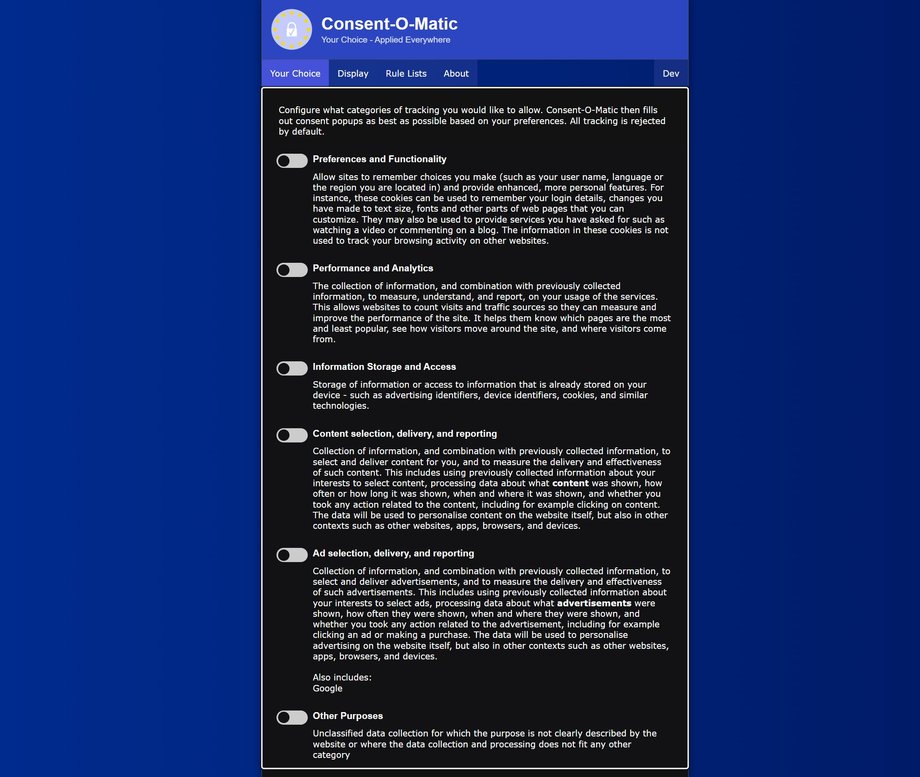
Consent-o-matic
|
Bartłomiej Sieja / Onet
Most people don't need to do anything else – the extension works straight away and does the trick without any user intervention, and the new tab can be closed.
3. Full configuration
To change your privacy settings, at any time, click the extension icon and select “More add-on settings”. This will bring back the mentioned settings tab.
Is it worth trying? Yes, but with caution
In the era of growing digital awareness, tools like Consent-o-Matic are a step towards a better Internet. Not only do they save time, but they also protect against excessive tracking, which is important in the context of growing privacy concerns. The downside is that for less technical users, creating additional rules can be a challenge, but the basic functionality works fine.
- Read also: The new version of the Internet will not be created with people in mind
If you are tired of pop-ups asking you to accept cookies, install Consent-o-Matic and save yourself the headaches. In the EU, regulations such as GDPR were supposed to protect us, but in practice many companies use them against us. And this plugin? Saves time and nerves.